

Reframe
Change your shot’s aspect ratio by generating beyond the original frame: portrait from landscape, widescreen from square, without a reshoot.- Any aspect ratio. Seven presets from 9:21 tall to 21:9 ultrawide, to fit the screen or composition you have in mind
- 20 seconds. 4K. 10-bit color. Sub-second clips are supported, too
- Preserve shot. Your source stays completely intact, with the original performance, motion, and frame count preserved as the surrounding scene expands
- Expand freely. Choose where to position the source, how to scale it, and what to crop. Use a reference image to visually direct the expanded scene
Effect Generator
Describe an effect and get a real node with controls built to match. It works on both images and video, and it’s live in Canvas today.- One prompt, any effect. Describe what you want and get a real effect with controls built to match: up to 16 sliders, colors, and handles you drag right on the preview
- It reads your depth and normal passes. Light, fog, and focus follow the actual scene, not a flat filter laid on top
- Regenerate without losing your work. Tweak the prompt and your control values carry over, and every effect is saved to your library for reuse on any canvas
SwitchX 2.0
A major upgrade to our most advanced video-to-video model. Change anything in your video while preserving what matters — built from what you kept asking for: longer takes, 4K, color you can grade, camera motion that holds.- 20s. Real 4K. 10-bit color. Takes up to 20 seconds, so you’re no longer cutting shots to fit the tool. True 4K output, not an upscale, and 10-bit color that goes straight into your grade
- Camera tracking, built in. Pans, zooms, handheld — 2.0 reads the camera motion in your source and the new background follows it. No markers, no matchmove
- Fast motion holds. Whatever your mask covers stays untouched, now through fast motion — lip sync stays locked, quick movements stay clean
- Iterate in 720p, finish in 4K. Explore takes in 720p, then finish the one you like — the final pass is anchored to your original footage, so it stays consistent with the take you picked
MiniMax H3 Max
A new video model joins the Video Generator — Text and Image-to-Video at 480p or 768p, 24 fps, with audio included.Generate with MiniMax H3 Max →Improvements
- Canvas — SwitchX node now accepts image sources as well as video, matching the standalone SwitchX page
- Canvas — SwitchX node gains Auto Pilot: automatically regenerates its prompt when the reference image changes, plus a manual Suggest button
- Canvas — fixed Continue in Canvas occasionally triggering SwitchX’s Auto Pilot unintentionally
- Canvas — Cmd/Ctrl+F finds nodes by name, with match cycling and highlighting
- Canvas — model picker gains a search field
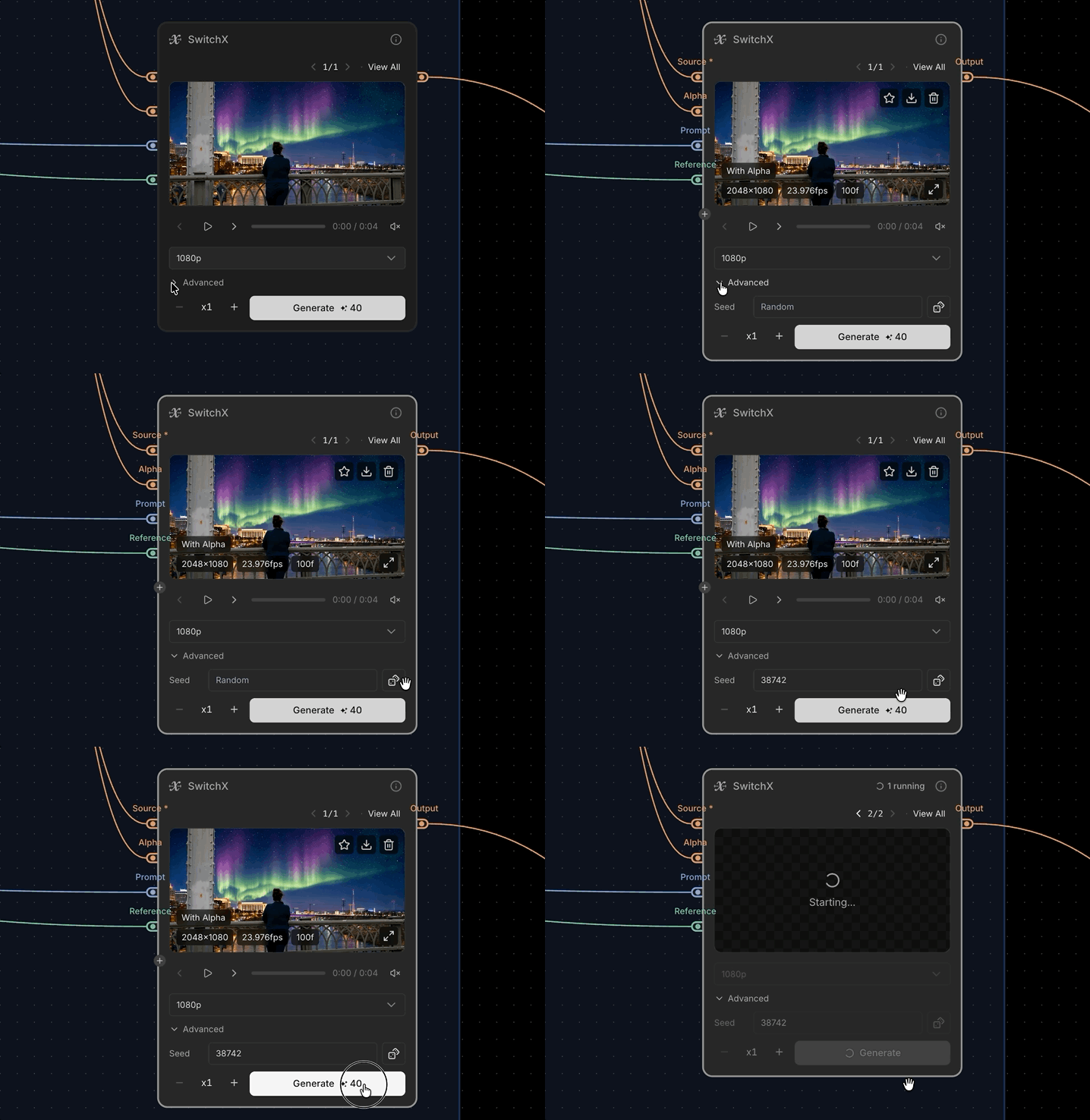
- Canvas — SwitchX node hover overlay shows the Seed value
- Canvas — media badges consolidated into a single center-dot tag
- Canvas — fixed page zoom (Ctrl/Cmd + scroll, pinch) leaking into the browser’s own zoom
- Canvas — fixed the zoomed-out view occasionally hiding a node’s footer
- Canvas — fixed the SwitchX Infinity node’s Unpack control not responding
- Canvas — fixed Continue in Canvas gallery Source/Alpha input tiles not rendering
- SwitchX — Seed moved out of Advanced into its own row
- SwitchX — job cards show the source’s original resolution on thumbnail hover
Wan 3.0
Alibaba’s newest video model joins the Video Generator — Text / Image / Reference-to-Video, up to 30-second single-shot clips with native audio, 480p to 1080p output.Generate with Wan 3.0 →Gemini Omni Flash 1.1
Google’s multimodal video model gets a major upgrade — Text / Image / Reference-to-Video plus prompt-based editing, now with a real resolution picker from 360p up to 4K, generated audio throughout, and image-to-video end-frame support.Try Gemini Omni Flash 1.1 →New nodes: Rotoscope & Mixer
Rotoscope — layer-based manual rotoscoping. Draw shapes or paint strokes over your source and keyframe them over time, outputting a grayscale matte and the source with the matte applied.Mixer — mask-driven key mix of two inputs. White in the mask shows the second input, black keeps the first; without a mask, Amount crossfades between them.Try it in the Canvas →Improvements
- Canvas — @ mention now auto-converts as you type or paste a matching reference name, not just when picked from the dropdown
- Canvas — Erode / Dilate node gains a Feather control and finer Size adjustment
- Canvas — Compare node gains Columns and Rows export
- Canvas — output gallery lets you compare different outputs from the same node
- Canvas — Image Generator and Video Generator nodes get inline prompt input
- Canvas — large canvases render faster when zoomed out
- Canvas — fixed trashed/purged canvases still being openable and silently autosaved by their owner
- Canvas — fixed applying a template not clearing undo history, so Undo could restore the previous graph
Canvas Despill
A new Canvas node removes green- and blue-screen spill in real time — no backend round trip, no credits. Feed it your keyed source, background, and mask, and it scrubs the color cast so composites read as believable footage.Try it in the Canvas →3D Scene Generator: GLB uploads
GLB uploads, and splat files dropped on the canvas now route straight to its upload panel.Try the 3D Scene Generator →Improvements
- Canvas — Video Generator’s expand-dialog gallery gained Compare mode, matching Image Generator
- Canvas — new Audio Iterator node for batch-processing multiple audio files
- Canvas — Sequencer node gets a hover download button
- Canvas — node history now displays as an inline grid
- Canvas — repeatable input handles now add from one ”+” at the bottom of the stack
- Canvas — the empty-canvas upload card shows format icons and a supported-formats legend
- Canvas — sticky notes gained a transparent-background option
- Canvas — fixed dropped newlines when editing text with @ mentions
- Canvas — fixed the zoom shortcut leaking into the browser’s own zoom when an input was focused
- Canvas — text file drops are capped at 10MB, with a clear message instead of a silent failure
- SwitchX — history feed auto-loading restored, with tighter load-more skeleton spacing
- SwitchX — narrow history cards prioritize the preview across all products
- App — fixed a delay in credits reflecting after a completed purchase
- App — fixed the mobile sidebar tooltip popping out of place when opening
Audio references in the Video Generator
Seedance 2.0 and 2.5 Reference-to-Video now take audio references — hand the model an mp3 or wav and reference it in your prompt, the same way you already do with images and videos. Upload audio directly in the Video Generator, or add the new Audio Input node on the Canvas and wire it into a Video Generator node.Generate with an audio reference →Improvements
- Compare — reworked into four layouts, Wipe / Mix / Columns / Rows (Mix is new), shared across SwitchX, SDR to HDR, Background Remover, and Upscaler
- App — removed the top bar in favor of unified page headers, and reworked the mobile sidebar entry point
- Viewer playback — SwitchX, Canvas, Video Generator, and Upscaler players now start with sound and remember your last mute choice
- Image Generator — the expanded gallery gained a Compare mode with a source selector
- Video Generator — Generate Audio is now on by default for every Seedance model
- Canvas — drop a
.mdor.txtfile onto the canvas to create a Text node from its contents - Canvas — background notifications when an AI job finishes in another tab
- Canvas — “Continue in Canvas” now opens in a new tab, with less wait after clicking
- SwitchX — Create Reference: download the selected (or masked) frame at full quality
3D Scene Generator
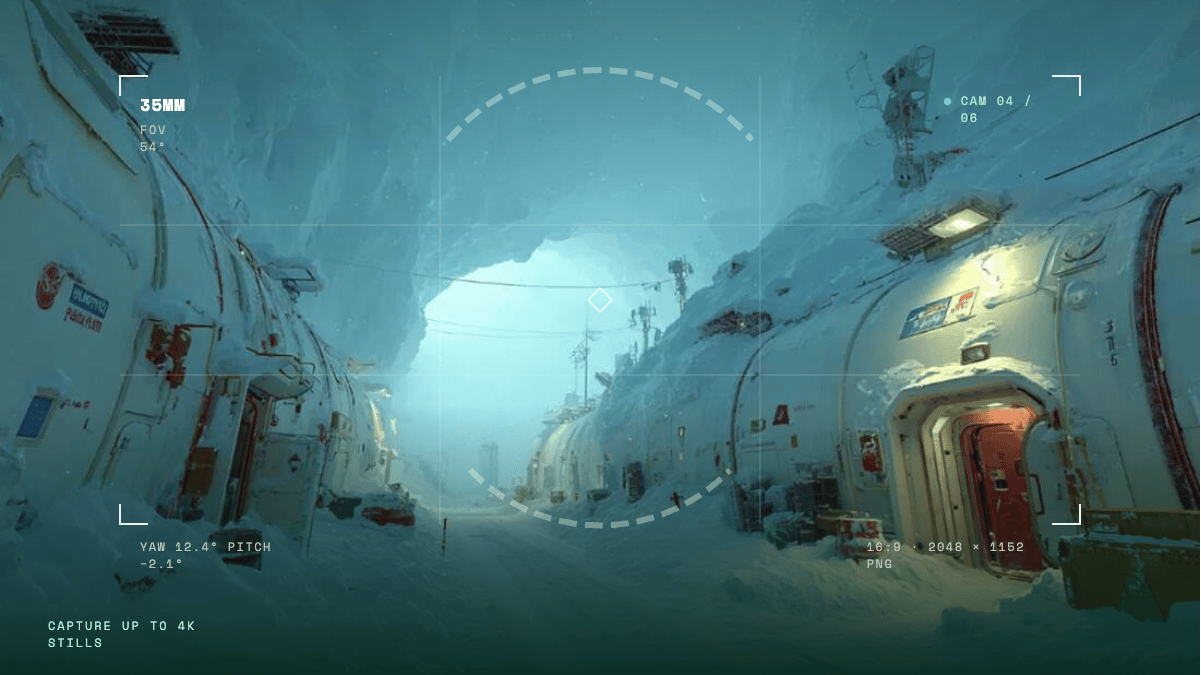
- Marble 1.1 and 1.1 Plus, built in — generate a Gaussian splat scene in one click from a text prompt, an image, a video, or a panorama
- Intuitive 3D editor for shots — move through the scene freely, place up to six cameras, and capture at up to 4K
- Export anywhere — download the scene as a Gaussian splat and collider for Unreal, Blender, and beyond
Seedance price drop
Every Seedance resolution now costs fewer credits per second — up to 50% less.- Seedance 2.5: 480p 4 · 720p 10 · 1080p 20 credits / sec (was 7 / 15 / 34)
- Seedance 2.0 Standard: 480p 3 · 720p 6 · 1080p 13 · 4K 42 credits / sec (was 5 / 10 / 21 / 50)
- Seedance 2.0 Fast / Mini: now from 2 credits / sec
Seedance 2.5 — 1080p
Seedance 2.5 now renders at 1080p in the Video Generator, alongside the existing 480p and 720p options.Improvements
- SwitchX — ProRes video sources are now ingested natively, with the upload limit for ProRes sources raised to 4.5GB
- SwitchX — the Showcase tab now leads with one large looping-video tile per category; hover to see the before still
MiniMax H3
MiniMax H3 joins the Video Generator — 2K / 24fps output with native stereo audio on every generation.- Text / Image-to-Video — text-to-video picks from 6 aspect ratios; image-to-video follows your input image
- 5–15 second clips, 9 credits / sec — see the credit policy
Seedance 2.5 — Create / Edit / Extend
Seedance 2.5 now has Create / Edit / Extend task tabs in the Video Generator and on the Canvas — pick the tab that matches your prompt.- Fixes edit-style prompts that used to fail on Seedance 2.5
- If a generation still fails, your credits are refunded automatically
Improvements
- Canvas — dragging a wire onto a node now shows the next input slot on nodes with expandable inputs; drop on it to create the slot and connect in one step
- Canvas — Connect to…: select several nodes, right-click, and connect them all to one target node in a single click
- Canvas — a selection box now picks up the wires it crosses, so you can delete them with one sweep
- Canvas — nine processing nodes gained the Expand button (Resize, Crop, Invert, Rotate / Flip, Curves, Blur, Erode / Dilate, Channels, and Sequencer), opening the full-quality result instead of the low-res proxy preview
- Mask editor — cursor-anchored zoom: the pixel under your cursor stays put while you zoom, instead of zooming from the image center (SwitchX and 3D Relight)
- Mask editor — brush strokes that leave the frame now follow the nearest edge pixel instead of being dropped, so masks reach all the way to the border
- SwitchX — a 30-second quick-guide video pops up the first time you open the reference creator, and a Guide button in the Reference Image section lets you rewatch it anytime
Kling 3 Omni
Kling 3 Omni joins the Video Generator and the Canvas — Text / Image / Reference / Video-to-Video, all four modes in one model.Try Kling 3 Omni →Continue in Canvas
Turn any generation into a starting point — Continue in Canvas on a history item opens a new Canvas project seeded with that result, ready to chain more nodes.Send to — move results across products
Any result in your history feed can jump straight into another tool with Send to — no download, no re-upload.- Targets: SwitchX (source or reference), SDR to HDR, Background Remover, Upscaler, Image Generator, and Video Generator (start frame or reference)
- 3D Scene Generator captures can be sent to the Image and Video Generators too
Improvements
- Kling v3 — 4K output is now available
- Generators — the Image, Video, 3D, and 3D Scene Generators now take a seed: reuse a value to recreate a result you like (images and 3D models reproduce exactly; video keeps the overall look), or roll a random one with the dice button — live-verified on 17 models
- SwitchX — the Tutorial tab is now a playlist, with three new videos alongside the beginner tutorial: Reference Image Quick Guide, How to Swap Outfits, and Day to Night Relighting Transformation
- Compare — three layouts: Overlay (wipe), Split, and Stack, switched from a control right on the media
- Canvas — image & video proxy support for smoother playback, especially on 1920p+ footage
- Canvas — bulk download: multi-select nodes, then download all their outputs at once
- Canvas — Portal nodes: wireless links across your canvas with named Send / Receive pairs
Seedance 2.5
- Up to 30-second clips in a single pass (double Seedance 2.0’s range)
- Up to 30 reference images and 10 reference videos in Reference-to-Video (Seedance 2.0 takes 9 / 3)
- Text / Image / Reference-to-Video, 480p / 720p output, optional MOV output for color-critical post-production work
- Per-second credit rates by resolution — see the credit policy for current pricing
Beeble just got a major update, built around how you actually work. The best AI tools and models, now connected in one place.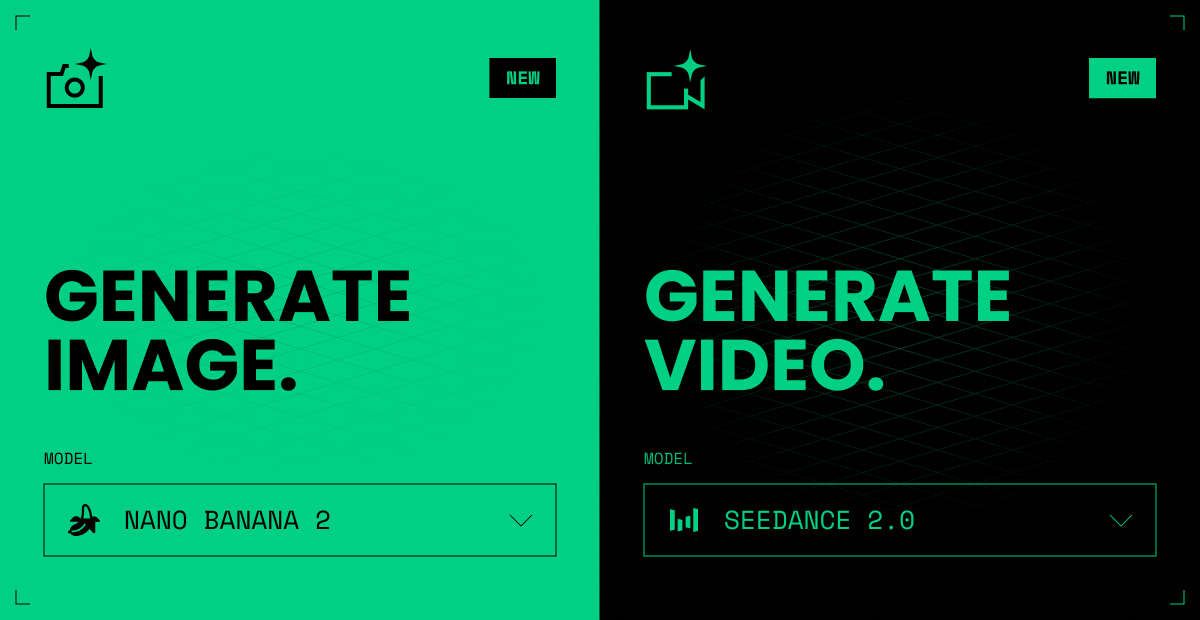
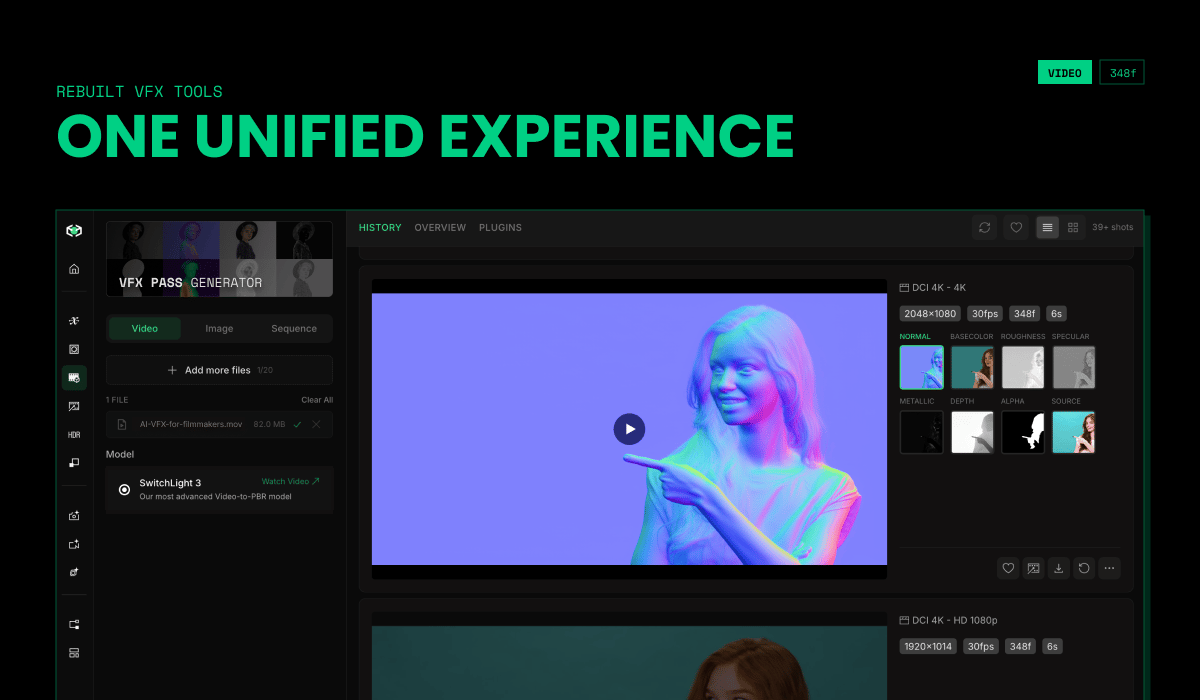
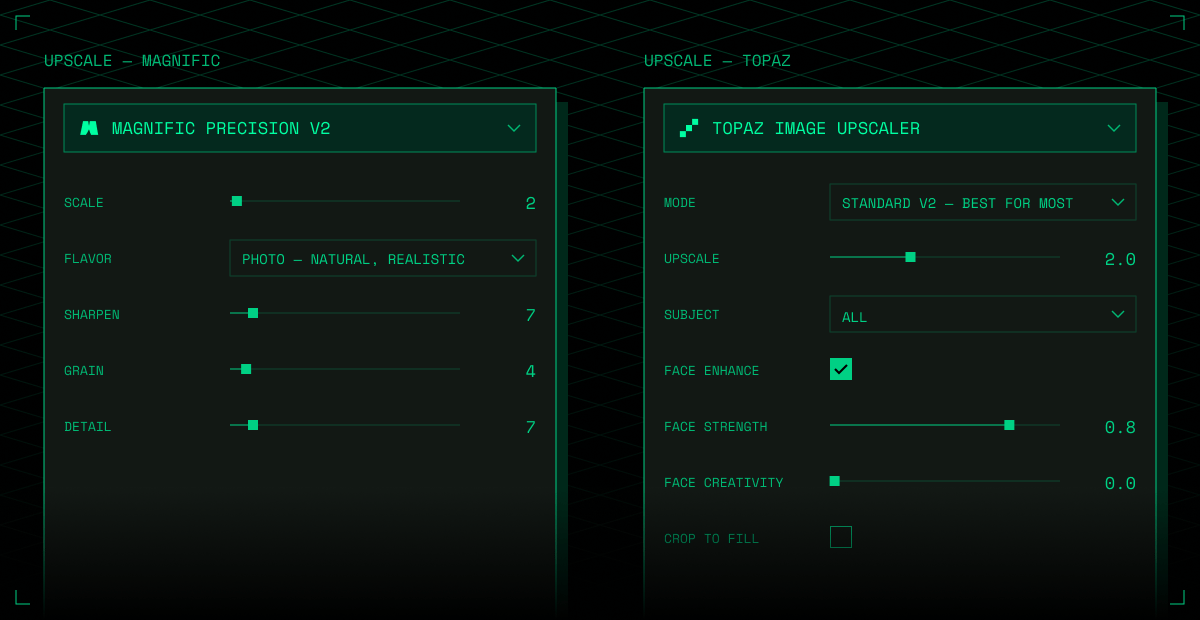
Image & Video Generation
Generation now has a home of its own. Generate a shot in the Image Generator or Video Generator, then send it straight into your VFX pipeline. No exporting, no juggling tabs.Seedance 2.0 4K, Gemini Omni Flash, and More
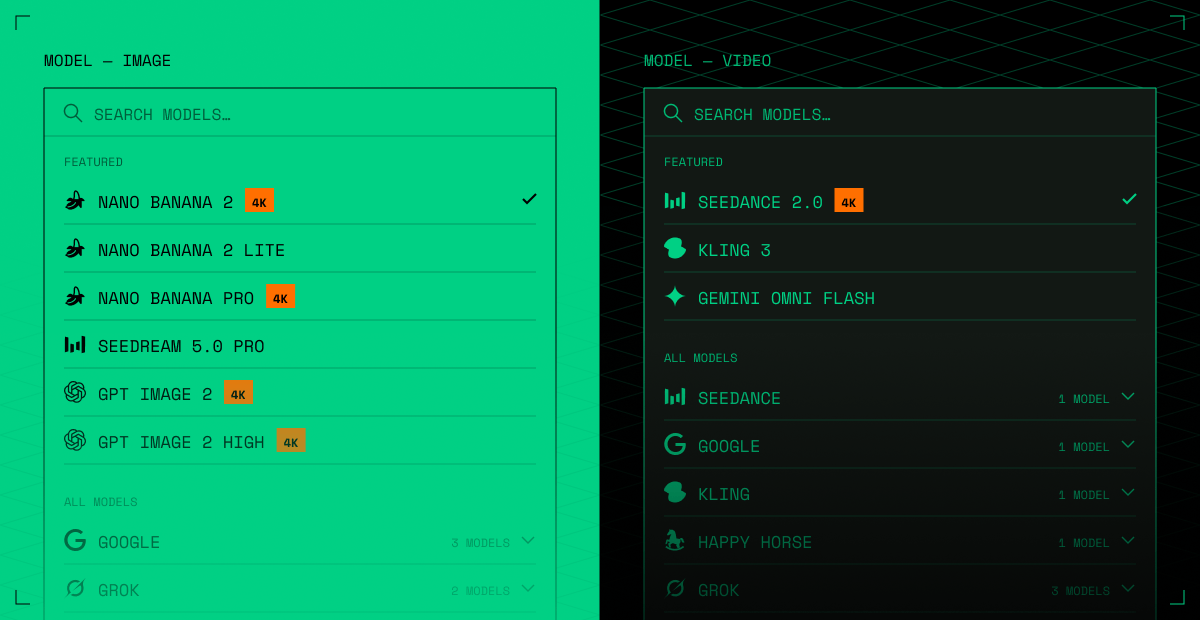
The best generative models, built in — pick the right model for every shot, with more on the way.- Seedance 2.0 — Standard mode now renders in 4K
- Gemini Omni Flash — Google’s multimodal video model: text / image / reference-to-video and prompt-based video editing, with audio included
- Seedream 5.0 Pro — BytePlus’s flagship image model
-
Nano Banana 2 Lite — fast, low-cost image generation
Rebuilt VFX Tools
VFX Passes, Background Remover, and 3D Relight — redesigned to work like SwitchX and SDR to HDR. One unified experience: cleaner controls, faster previews, built to chain on the Canvas.Upscale with Magnific & Topaz
Magnific and Topaz are now built into Beeble, for both image and video, so every shot leaves film-ready. Find them in the new Upscaler tab, or as nodes on the Canvas.Image Generator & Video Generator — new standalone tabs
The Canvas Image Generator and Video Generator nodes now have their own dedicated pages, available from the left sidebar on the Beeble web app.- Same models as Canvas — every model available in the Canvas Image / Video Generator nodes is available here, with identical options and credit pricing
- History feed — all your generations in one scrollable feed, with batch generation support
Video Generator — Gemini Omni Flash & new Seedance tiers
Gemini Omni Flash, Google’s natively multimodal video model, is now available in the Video Generator — both the standalone tab and the Canvas node.- Four tasks — text-to-video, image-to-video (starting frame), reference-to-video (up to 3 reference images as subject / style guides), and prompt-based video editing
- Audio included — every generation comes with generated audio
- Output — 720p, 16:9 or 9:16, 3–10 second clips (video editing accepts source videos up to 10 seconds)
- Seedance 2.0 — 4K output: Standard mode now supports 4K resolution, alongside 480p / 720p / 1080p
- Seedance 2.0 Mini: a new cheapest tier — about half the credit cost of Standard (480p / 720p only)
Introducing SwitchHDR — True 16-bit HDR from any video
SDR to HDR, powered by our new model, SwitchHDR is now available on Beeble web app. Convert any 8-bit clips into true 16-bit HDR EXR sequences that work in your professional production pipelines.- True 16-bit EXR & ACES Workflow: Generate production-ready EXRs with native ACES support for high-end VFX and color grading.
- Expanded Depth and Range: Restore blown highlights and push shadow depth smoothly in the grade without banding artifacts.
- Precise Control: Mask target areas, use text prompts, and direct exactly what needs to come back for your final look.
- Powered by SwitchHDR: Our dedicated model trained specifically for accurate SDR to HDR reconstruction.
Canvas — Share your canvas with anyone
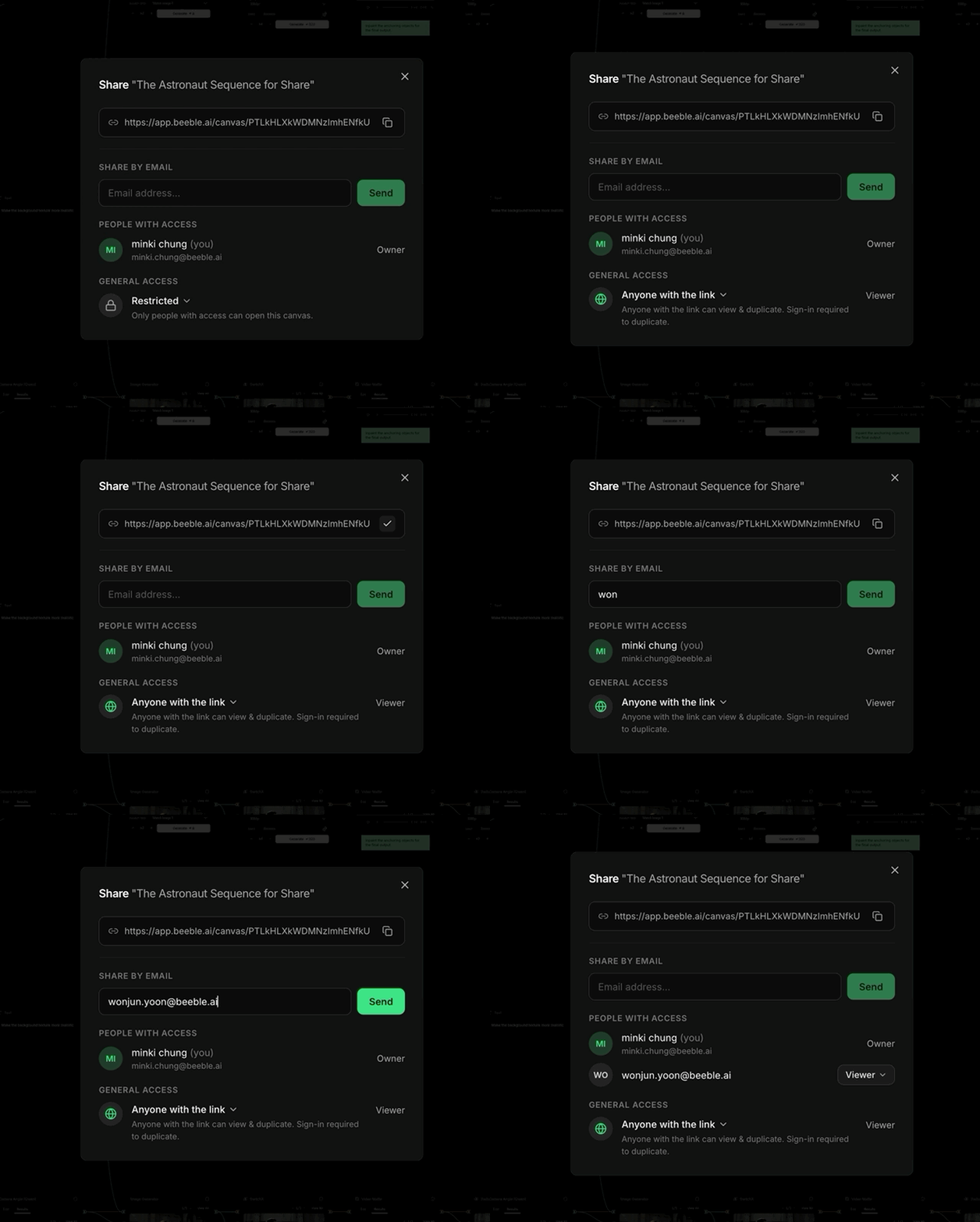
You can now share a Canvas project with a link or by email — from the Share button in the canvas toolbar.- Share with a link — switch General access to Anyone with the link and copy the link. Anyone can view; switch back to Restricted to stop sharing.
- Share by email — invite specific people as viewers while keeping the canvas Restricted.
-
Duplicate & Edit — viewers can duplicate a shared canvas into their own workspace and build on it.
Video Generator — 20+ new models
We now support 20+ new video generation models in Beeble Canvas!- Grok Imagine (incl. 1.5) — text / image / reference-to-video, plus video edit & extend
- Wan 2.7 / 2.6 — text / image / reference-to-video, plus video edit
- LTX 2.3 (Pro / Fast) — text / image-to-video, plus extend & retake
-
Luma Ray 3.2 — text / image-to-video, plus video edit & reframe
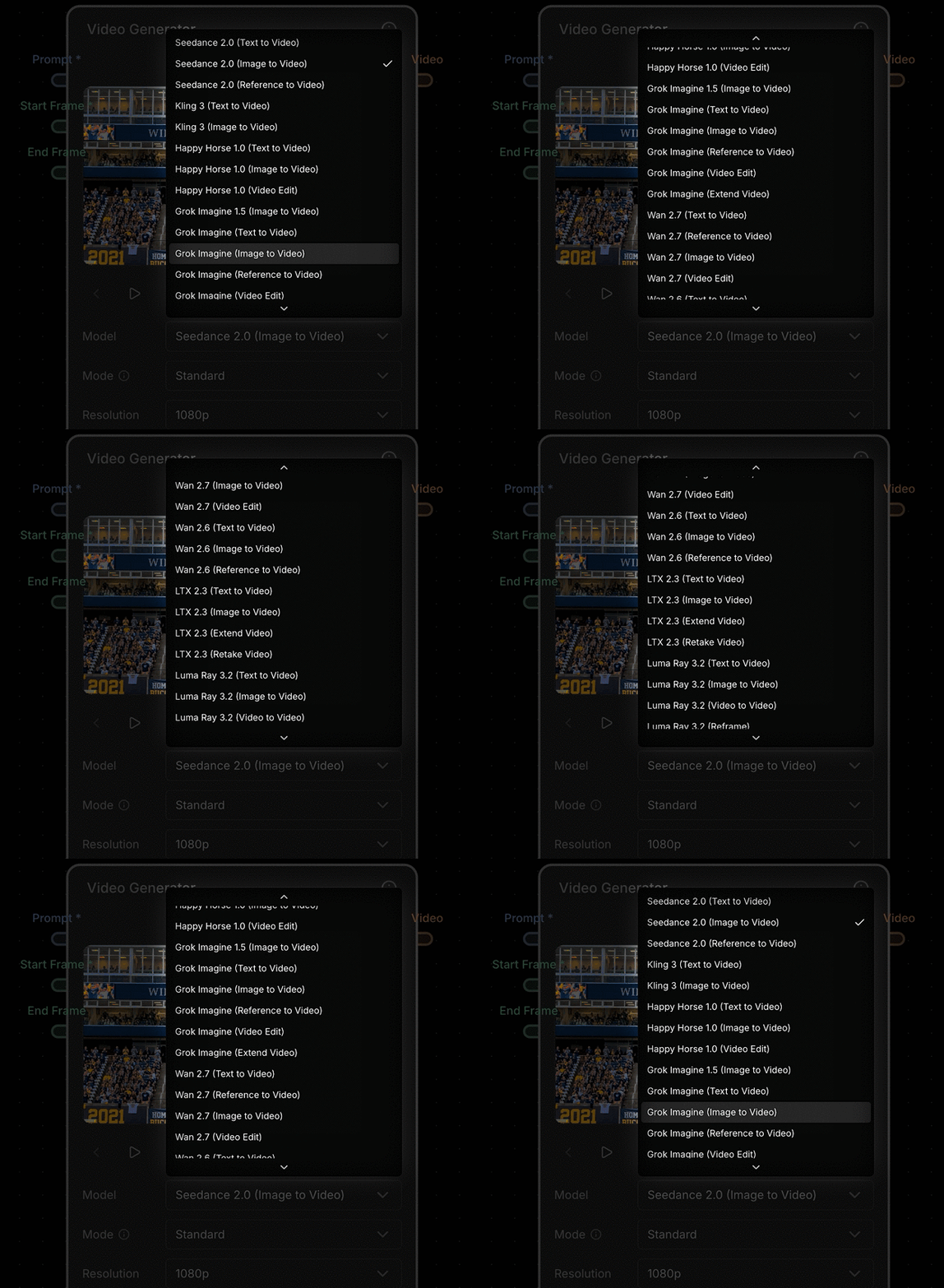
Image Generator — 10+ new models
We now support 10+ new image generation models!- Grok Imagine (incl. Quality)
- Seedream (V5 Lite / V4.5)
- FLUX.2 (Pro / Max / Flex / Klein)
- Recraft V4.1 (Pro / Utility / Utility Pro)
-
Z-Image (Turbo / Base)
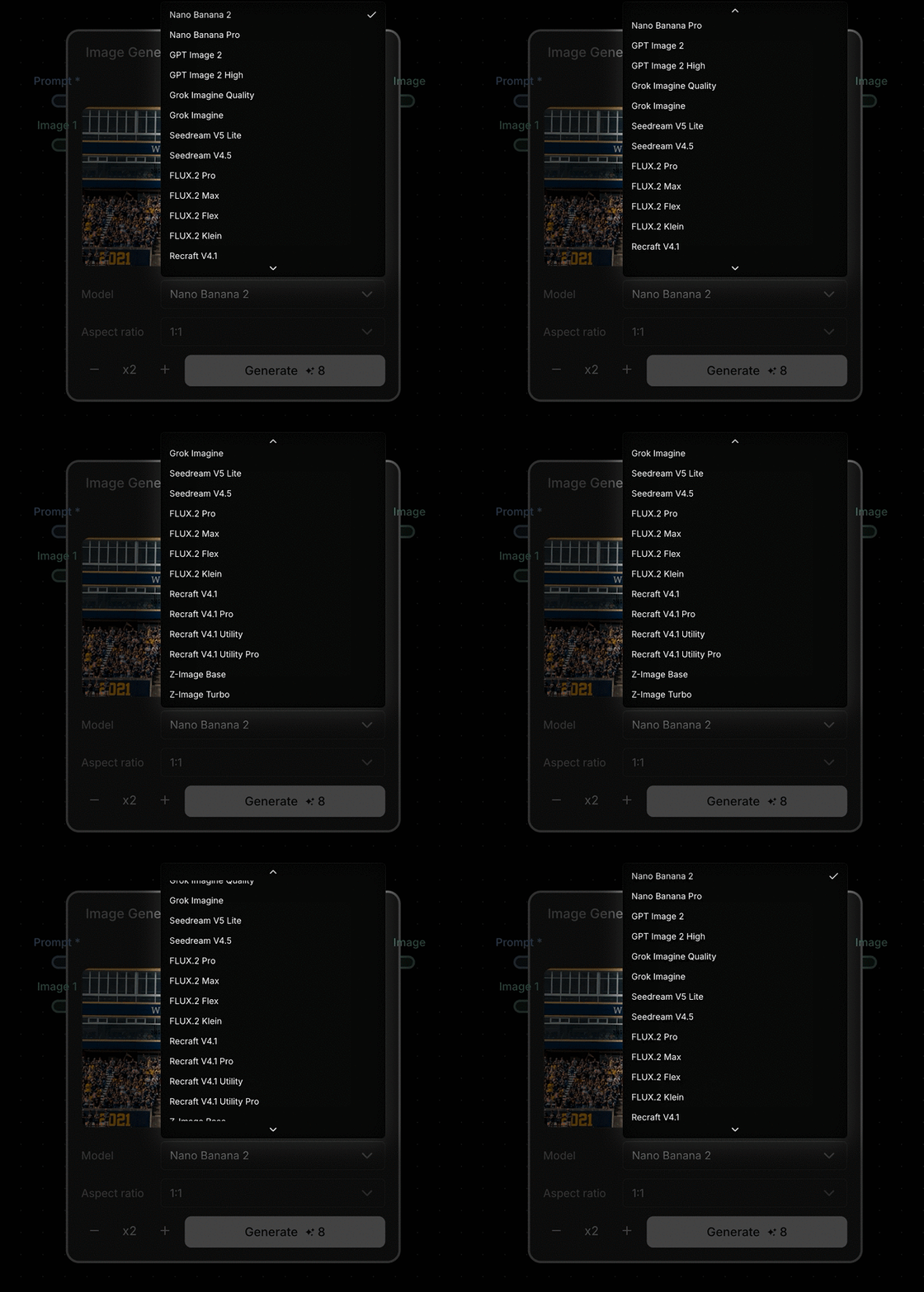
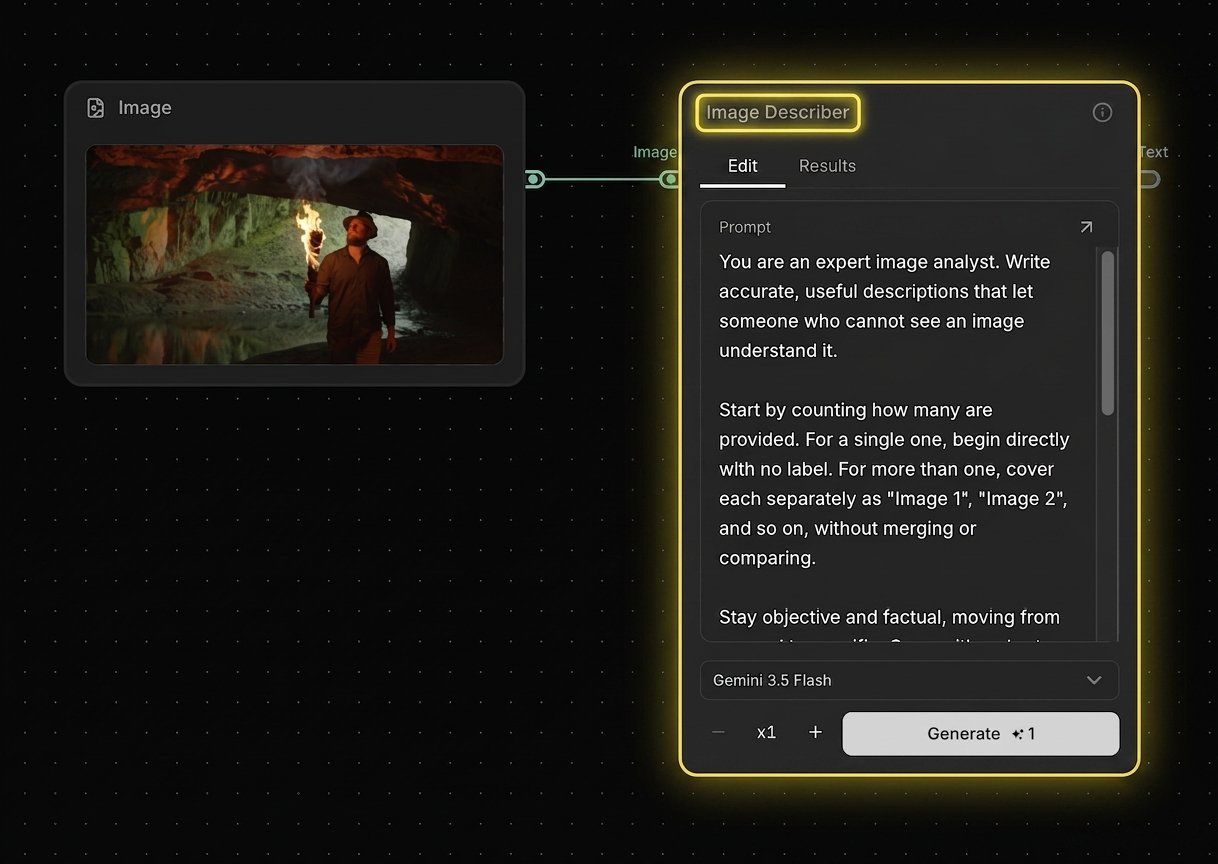
Image / Video Describer
- Generate descriptions from up to 4 media inputs
-
Choose your preferred LLM and add optional prompts
Quality of Life Updates
-
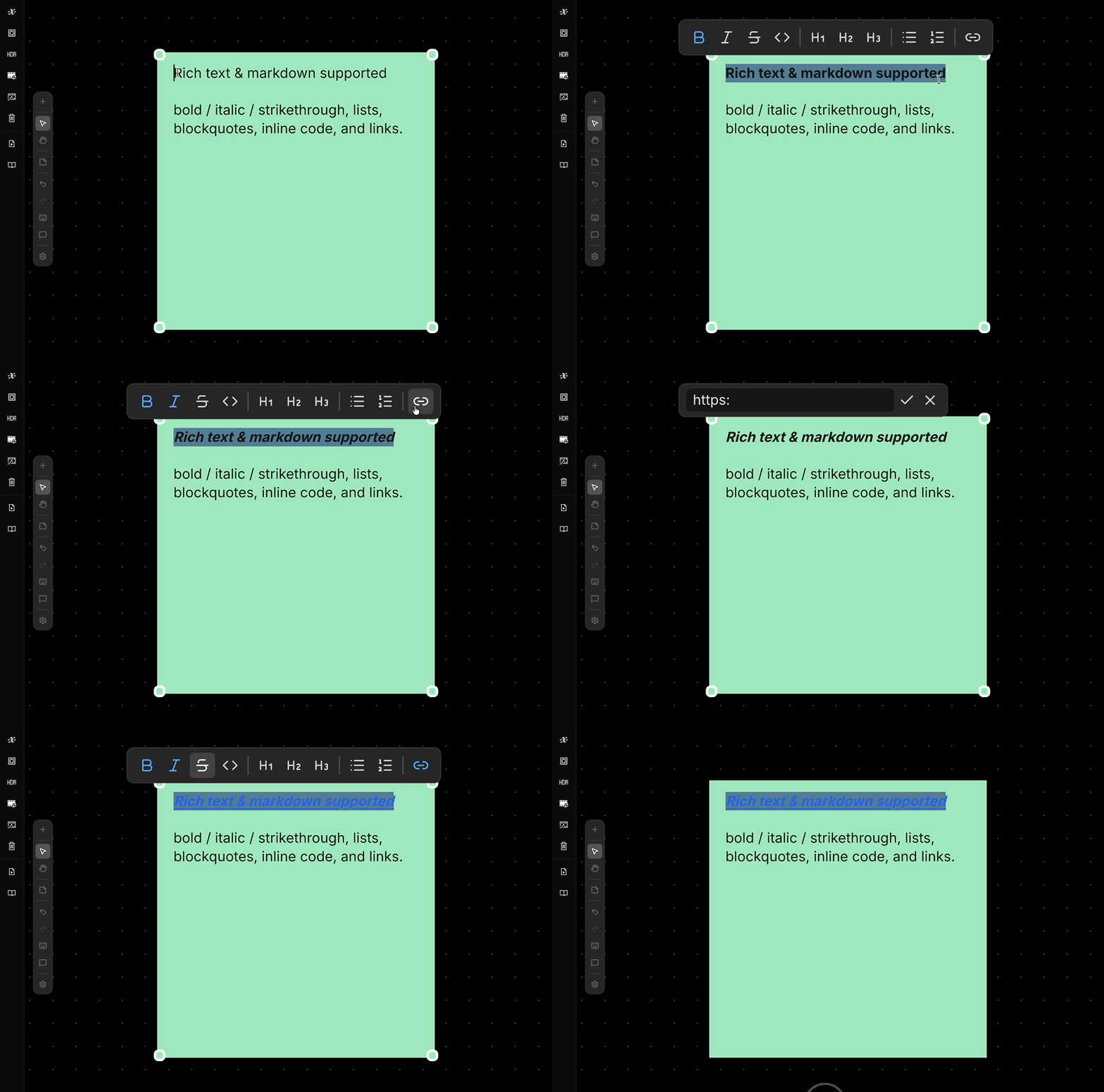
Sticky Note — Rich text & markdown supported
- Write headings, bold / italic /
strikethrough, lists, blockquotes, inline code, and links - Paste markdown to auto-format, or copy your content out as clean markdown
- Write headings, bold / italic /
-
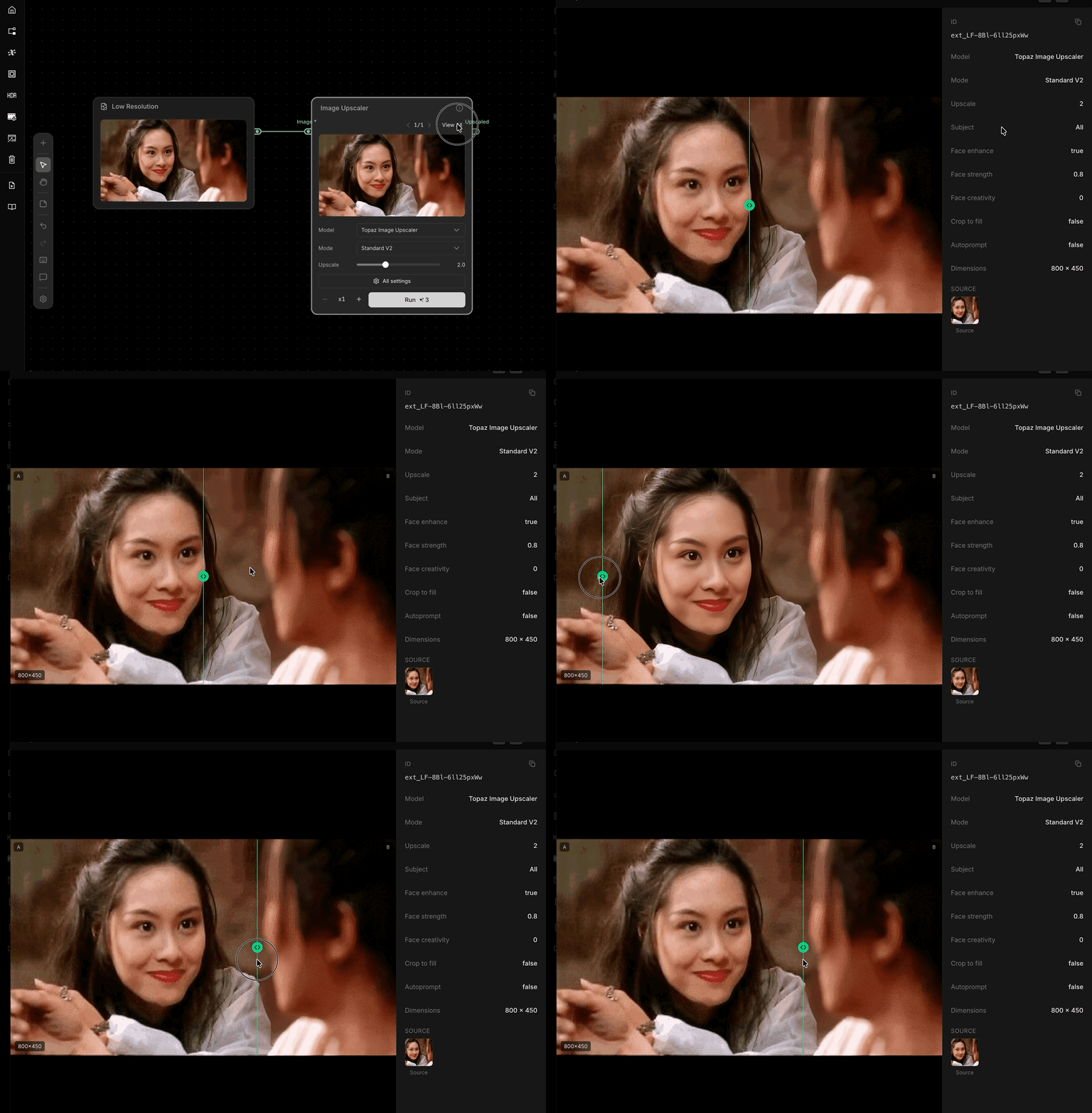
Topaz Upscaler — built-in comparison added
- Drag the split slider to instantly compare original and upscaled images
- No extra Compare node needed
-
Compositor — magnetic snap added
- Clips now snap to clip edges, the playhead, or frame 0 during edits
- Use the magnet button or press
Sto toggle
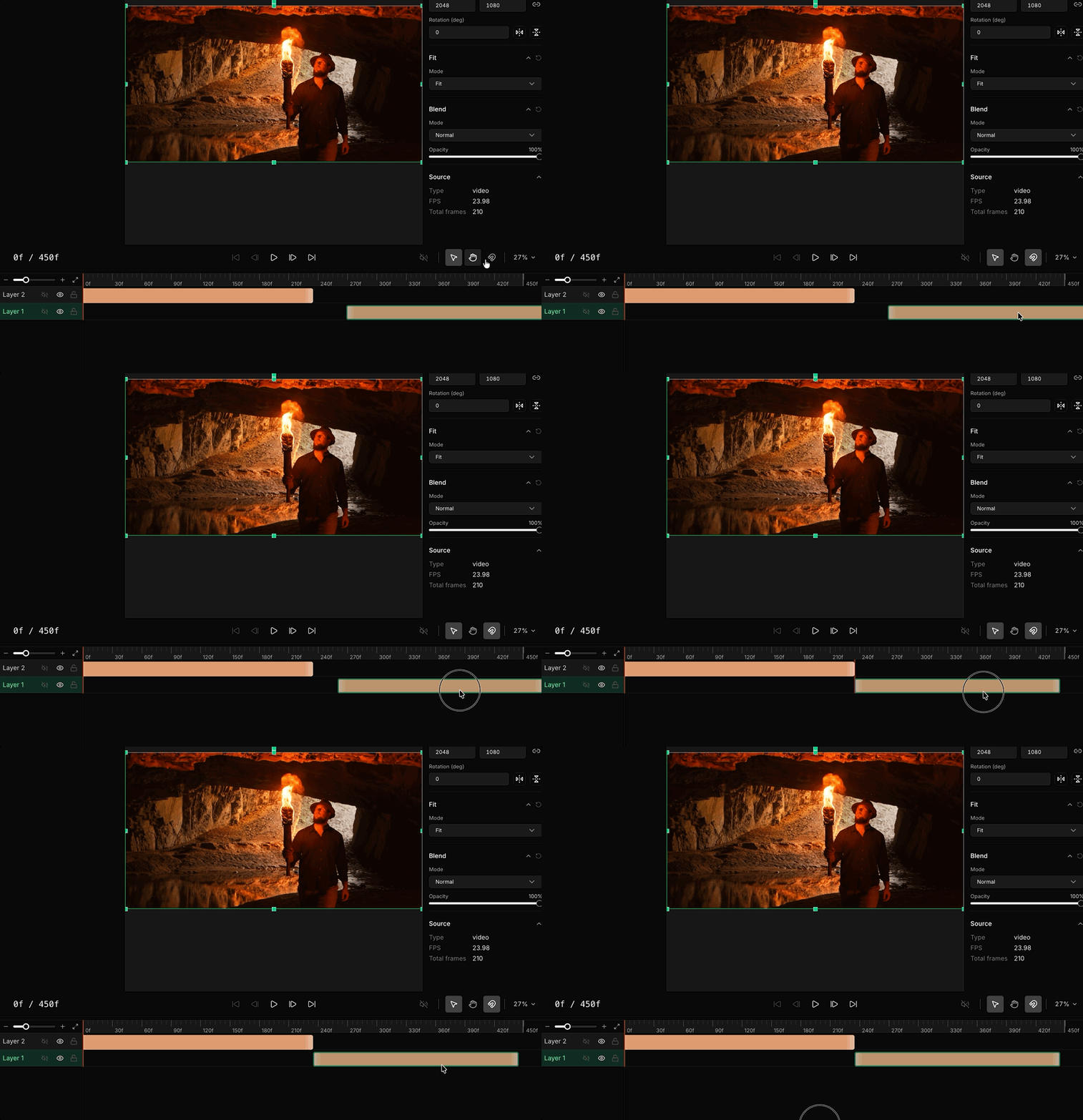
Canvas — New Nodes and Node Updates
New nodes and a wave of node updates for Canvas, plus expanded documentation.New Nodes
-
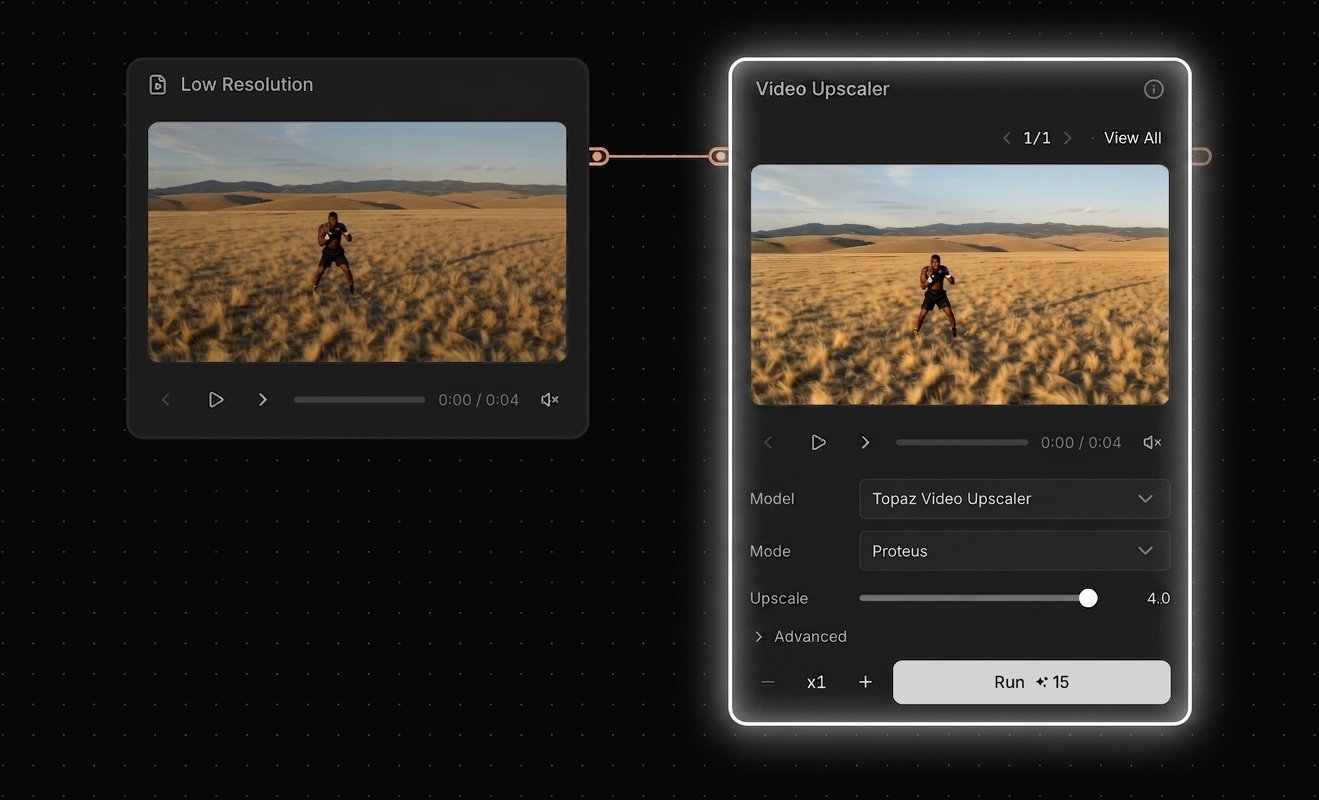
Topaz Video Upscaler — Upscale videos up to 4K
- Upscale videos up to 4K with Topaz (more providers coming later)
- Choose an upscaling method (e.g., diffusion-based or classic models)
- Set the scale factor from 1× to 4× (output is capped at 4K)
- Frame interpolation is supported (for smoother motion / higher FPS)
-
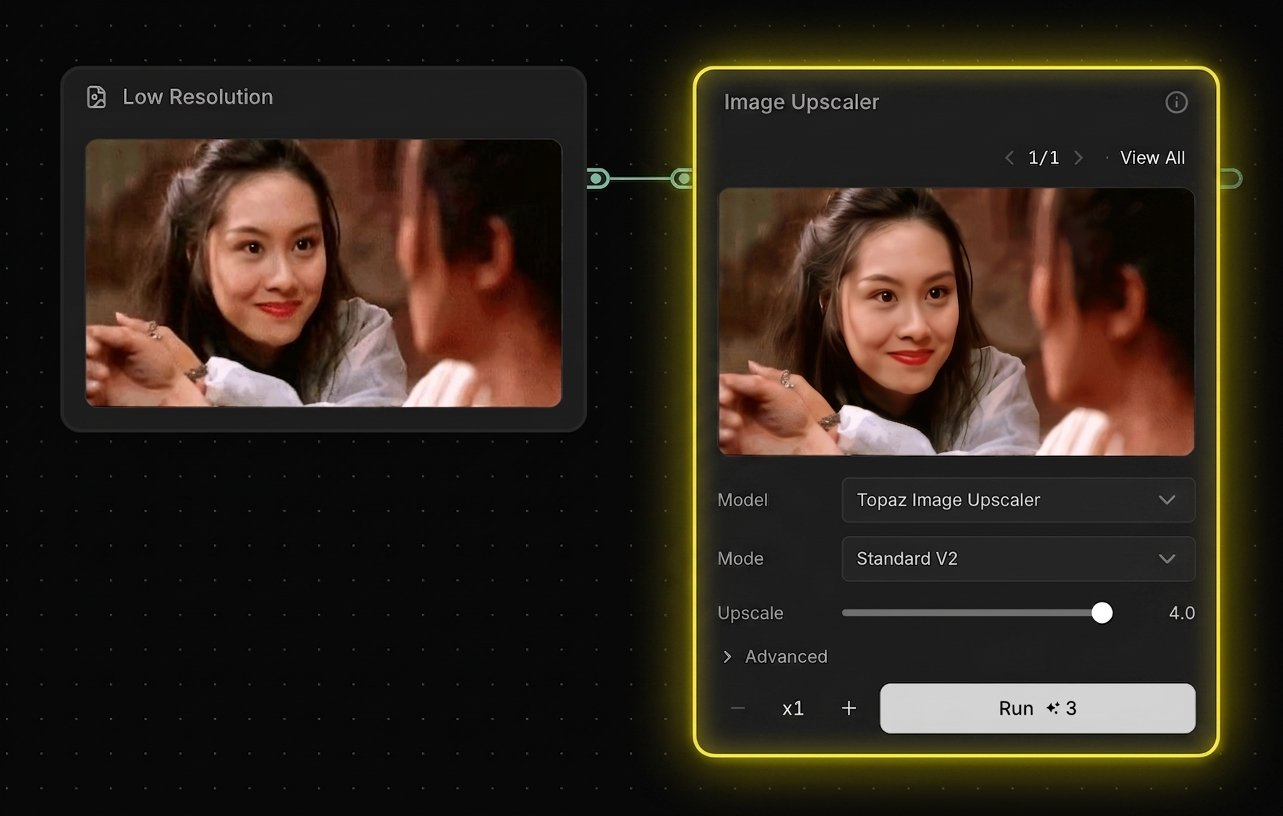
Topaz Image Upscaler — Upscale images up to 8K
- Upscale images up to 8K with Topaz (more providers coming later)
- Choose an upscaling method (e.g., diffusion-based or classic models)
- Set the scale factor from 1× to 4× (output is capped at 8K)
-
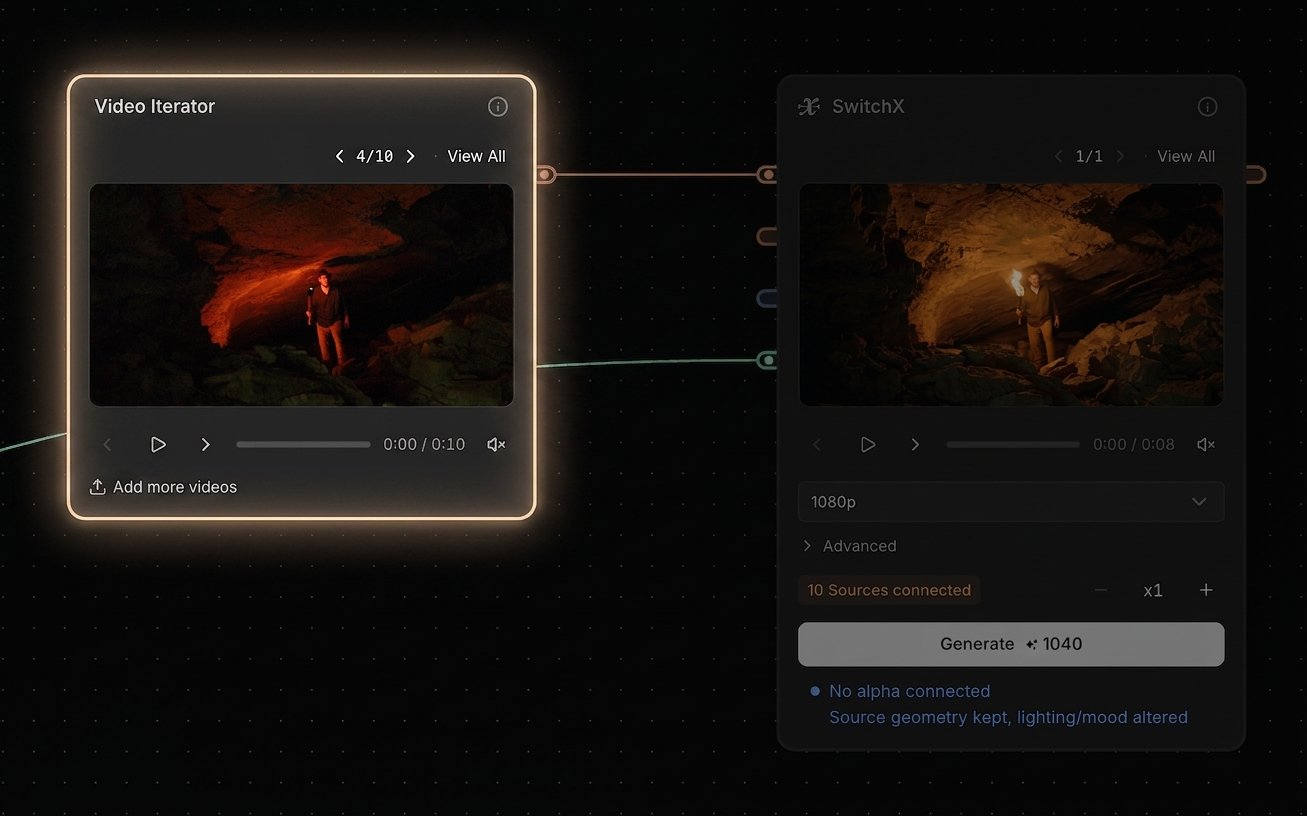
Video Iterator — Batch-process many videos at once
- Upload multiple videos at once, then connect the iterator to supported nodes to batch-process a full set of inputs
- Useful when you want to apply the same workflow to many clips without uploading one-by-one
-
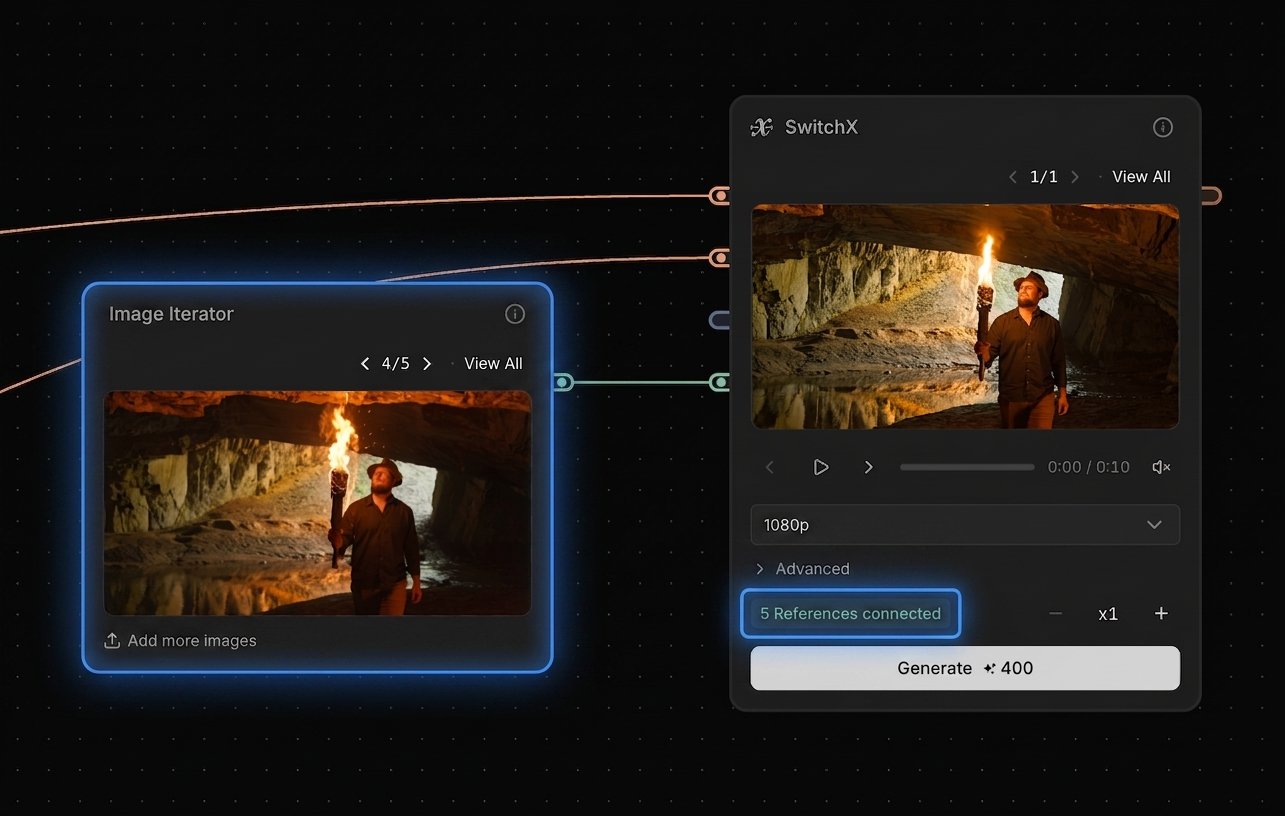
Image Iterator — Batch-process many images at once
- Upload multiple images at once, then connect the iterator to supported nodes to batch-process a full set of inputs
- Useful when you want to apply the same workflow to many stills without uploading one-by-one
-
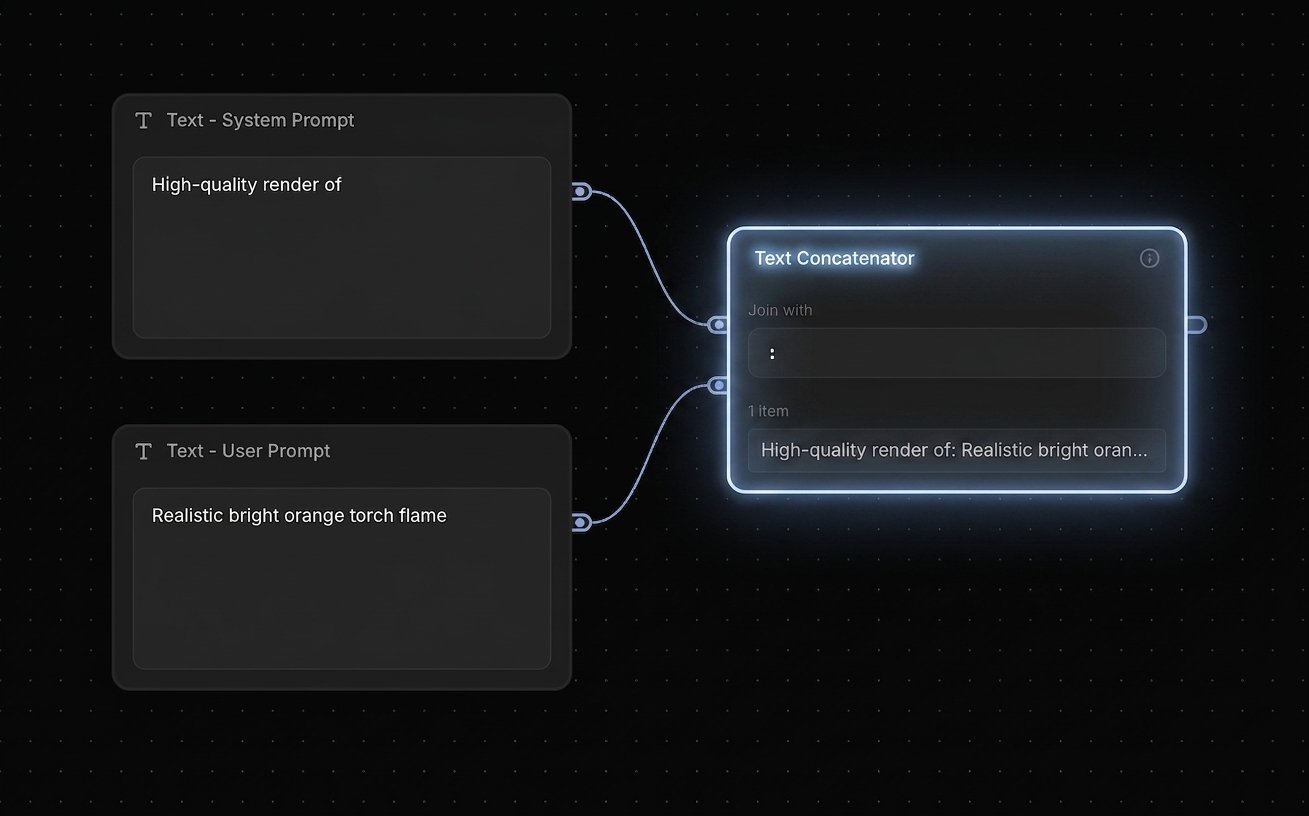
Text Concatenator — Concatenate two prompts; use one as a system prompt and the other as a user prompt
Node Updates
-
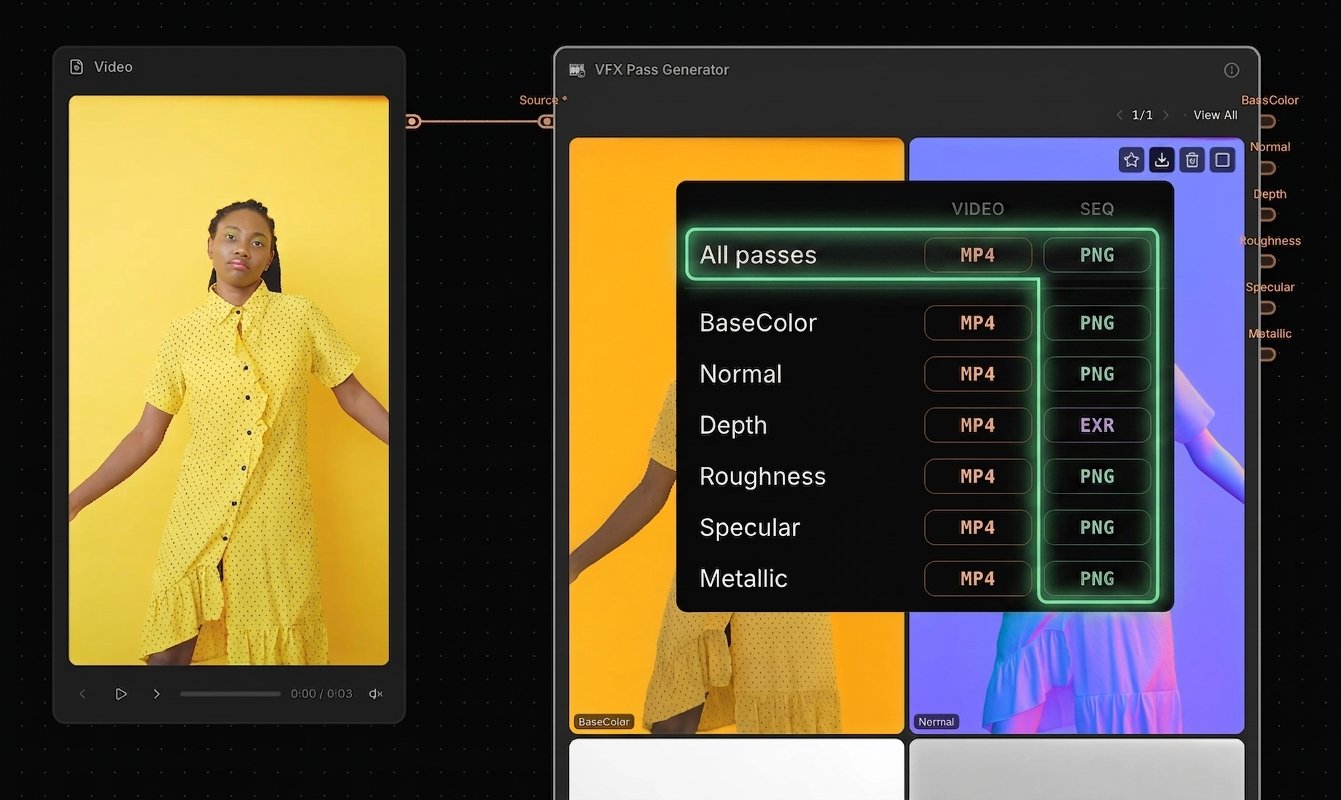
VFX Pass Generator — PNG Sequence export and “Export All” added
- Added high-quality PNG sequence export
- New “All passes” export option lets you download all outputs in one go
-
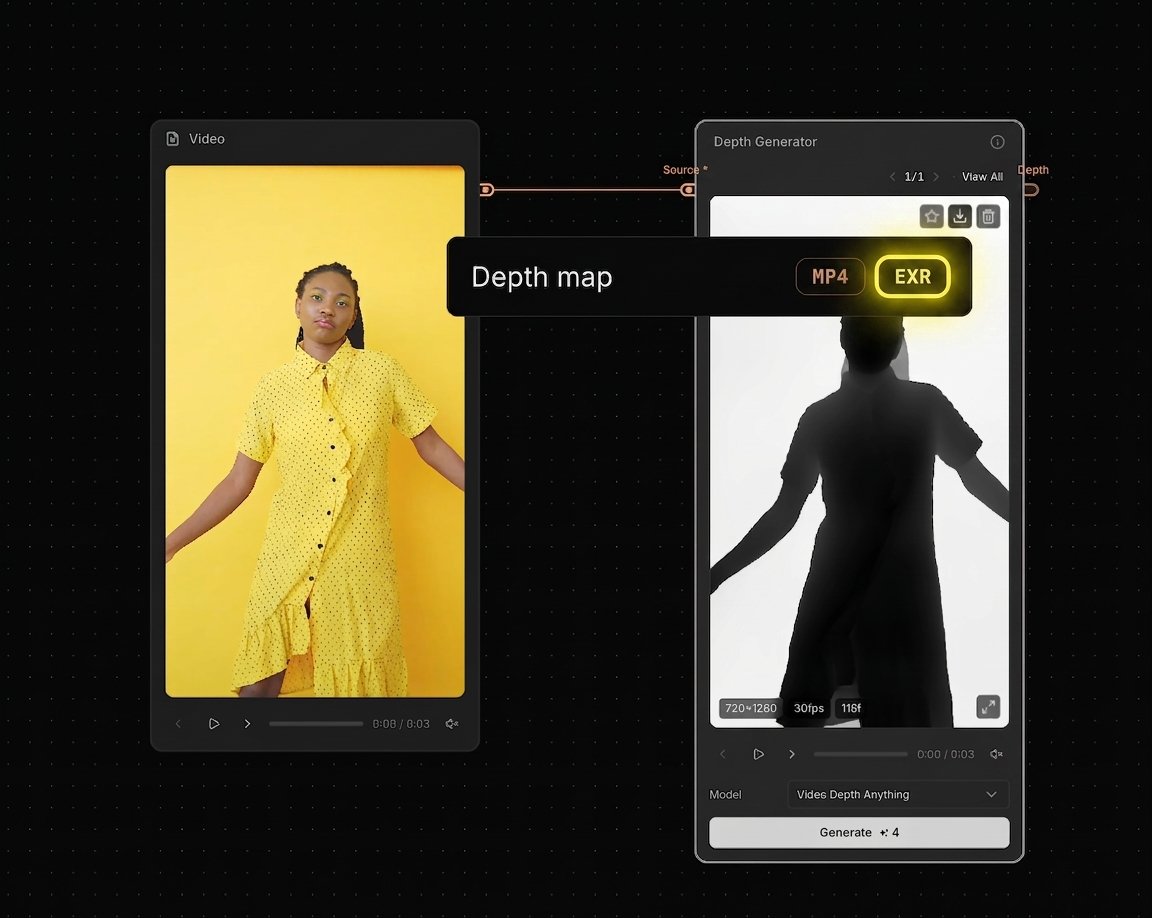
Depth Generator — 16-bit EXR export option added
- Added 16-bit EXR export for higher-fidelity depth workflows
-
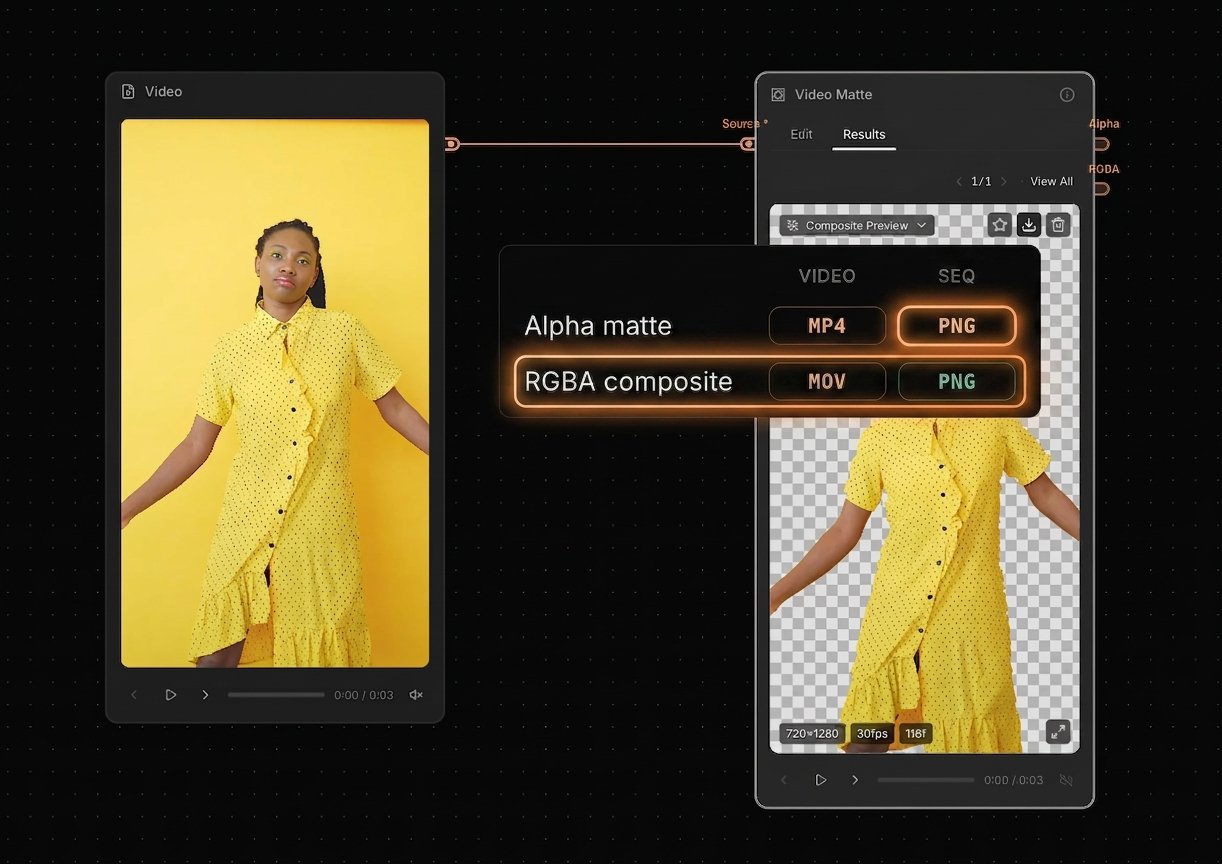
Video Matte — RGBA export options (MOV + PNG) and alpha PNG export added
- Added RGBA composite video export (MOV), plus PNG sequence export options
-
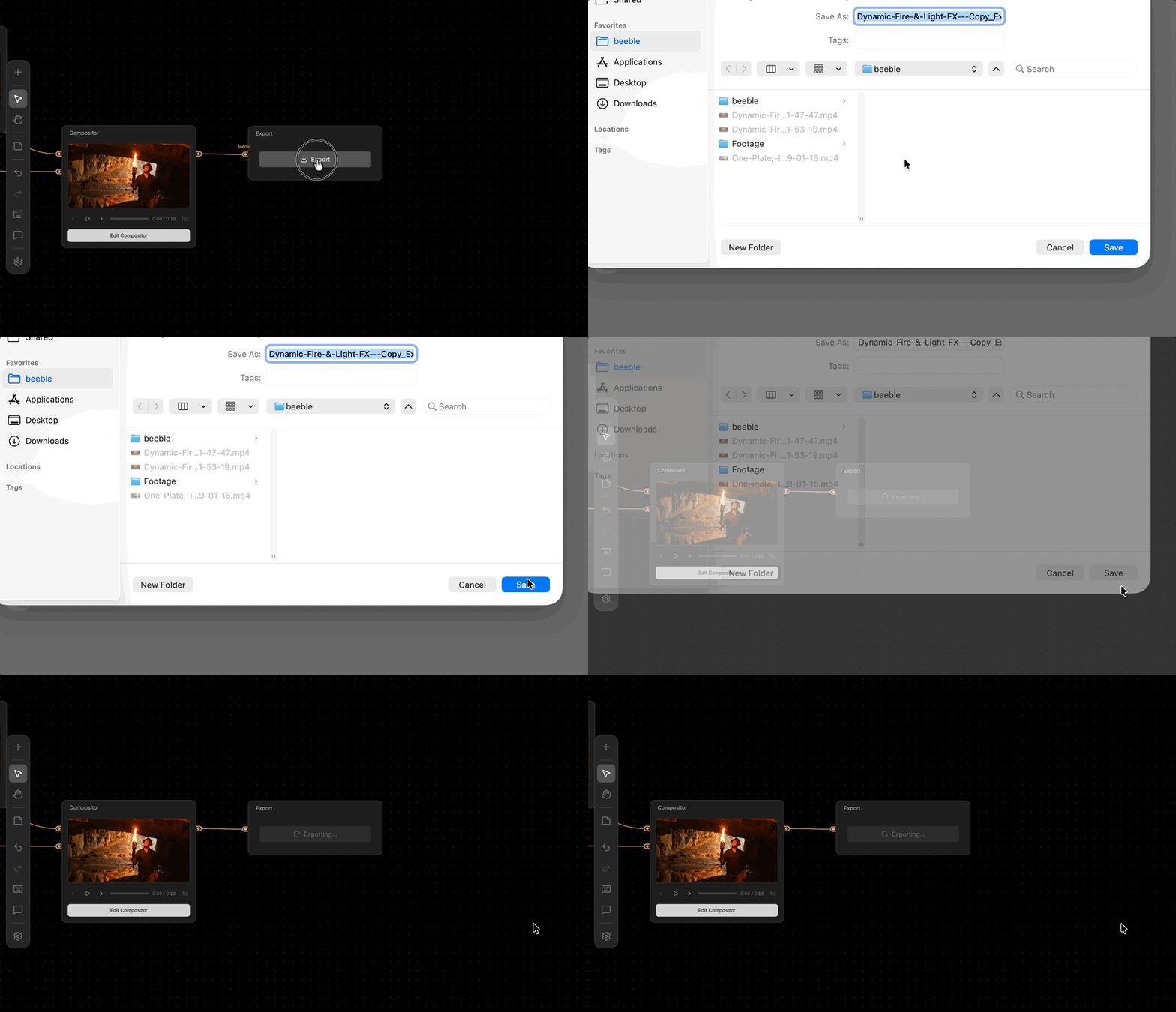
Export — choose a download path for your files
- You can now choose where files are saved, instead of always using the default Downloads folder
-
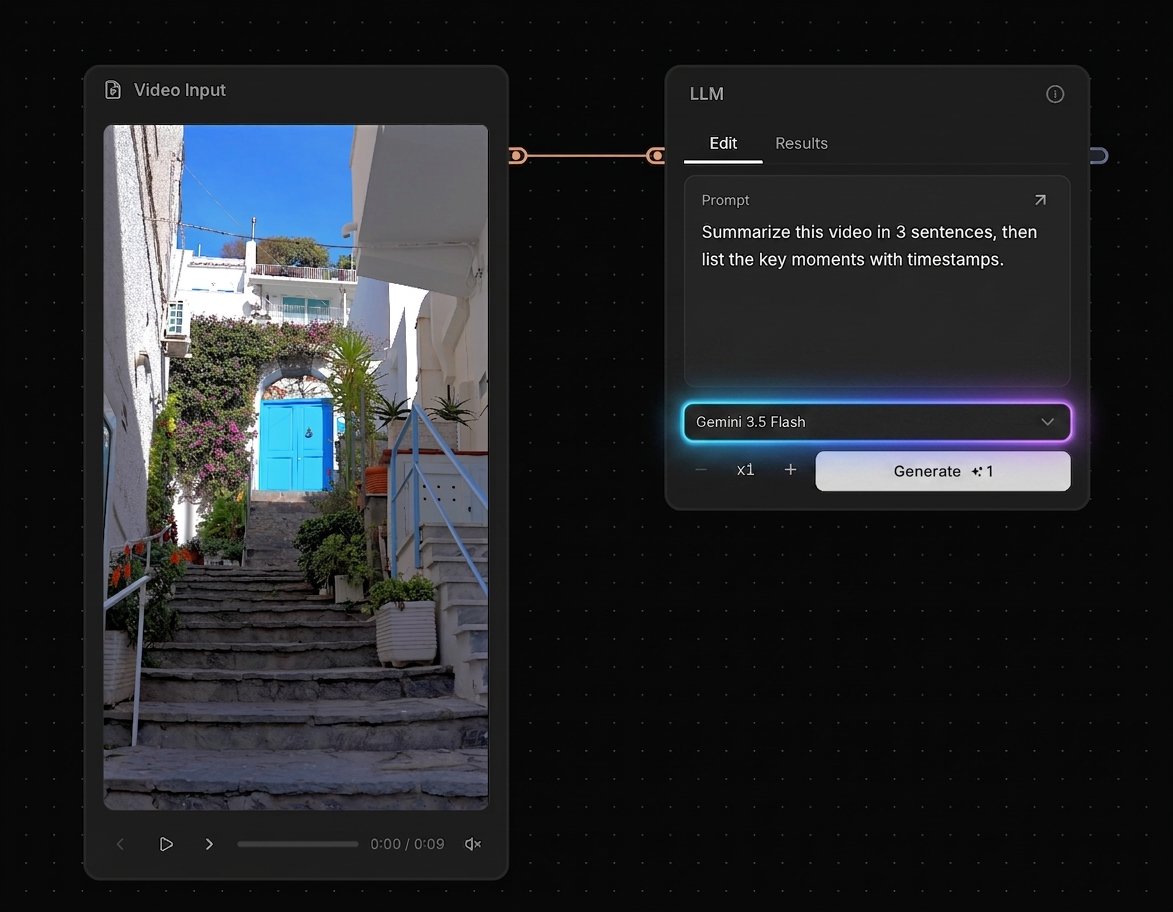
LLM — Gemini 3.5 Flash model added + video input now supported
- Updated to Gemini 3.5 Flash, including video input support
-
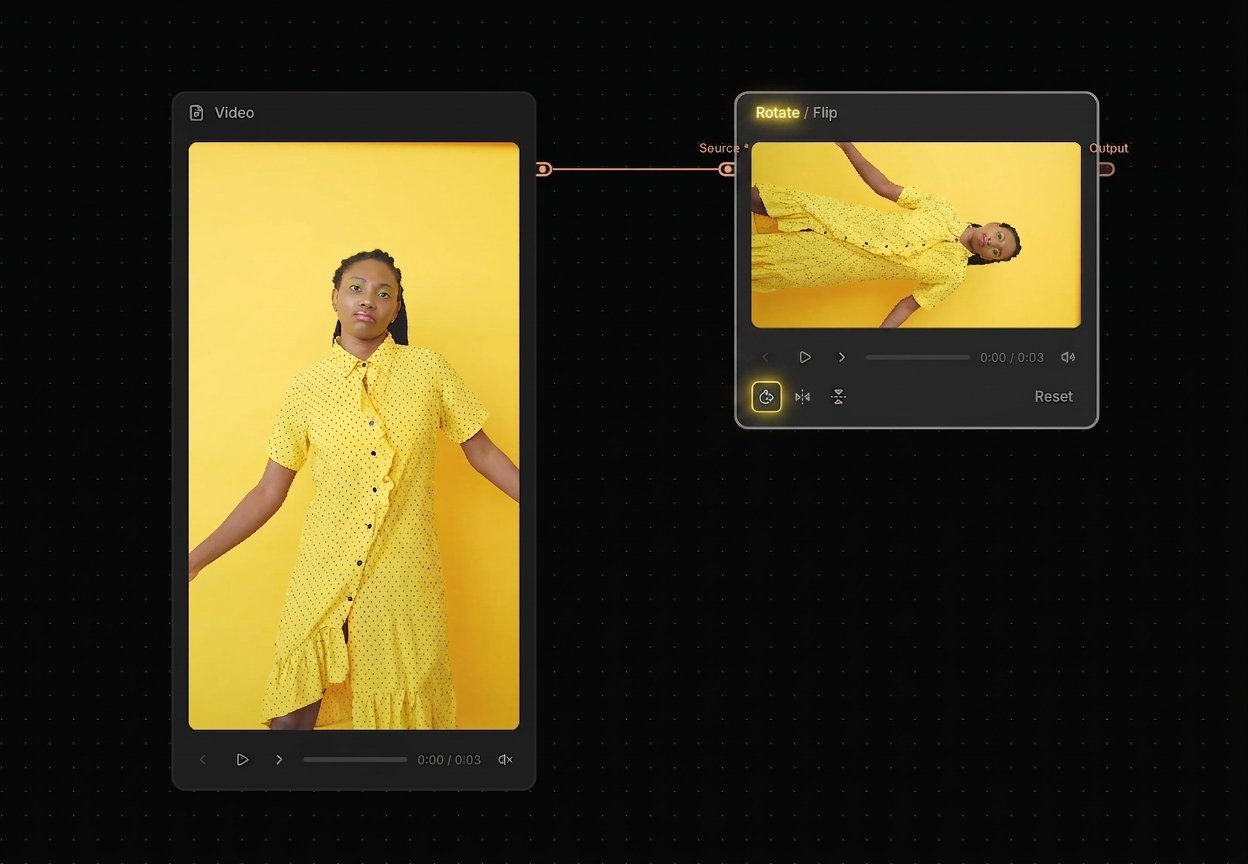
Rotate / Flip (formerly Flip) — Rotate 90° now supported
- Rotate support has been added to the existing Flip node for faster, simpler transforms
-
SwitchX — set a random seed
- Added a random seed option for better reproducibility
- Note: due to GPU randomness, the same seed may not always produce perfectly identical results
-
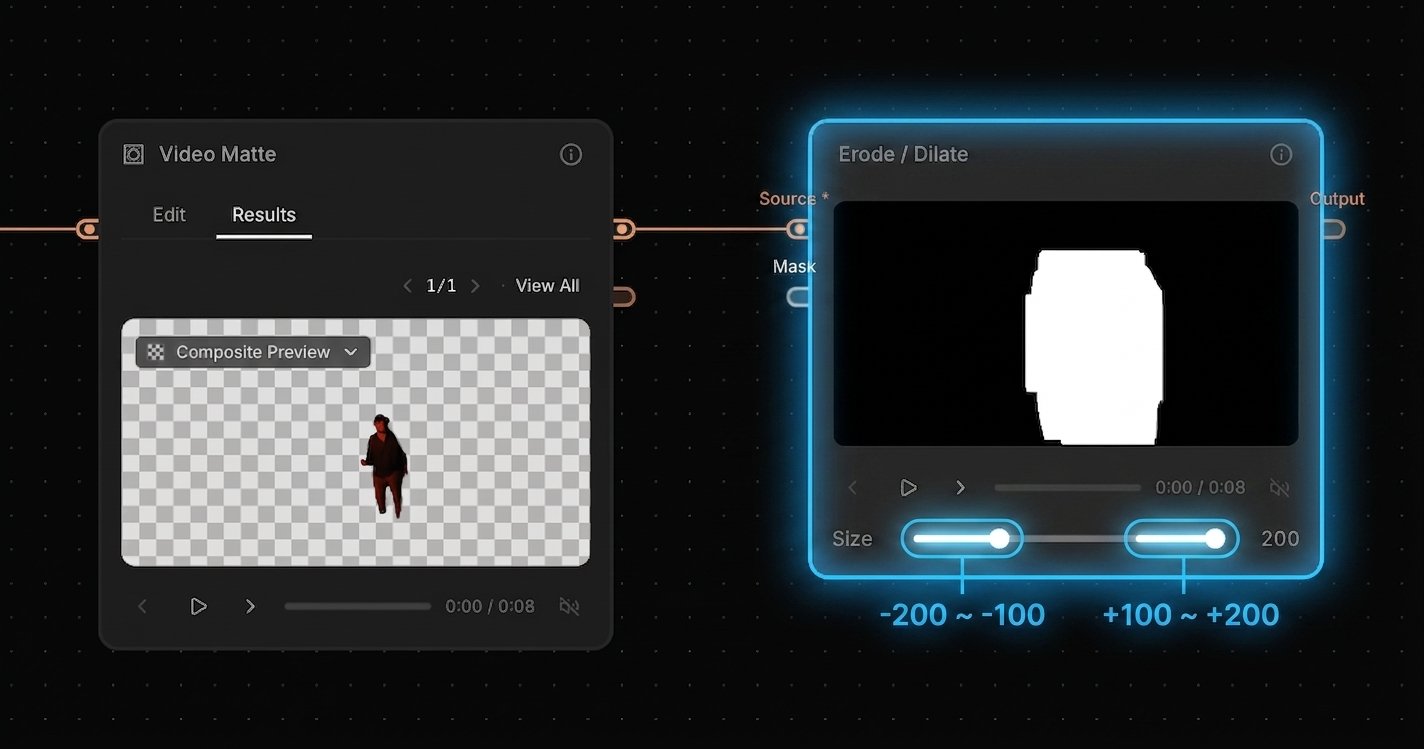
Erode / Dilate — range is now 2× larger (−200 to +200)
- Expanded the control range from −100 to +100 up to −200 to +200 for more flexible tuning
Documentation
- Credit Policy — We documented how many credits each node uses, so you can plan workflows with costs in mind—especially as more third-party models are added.
- Model List — We list all available models (third-party and internal) with clear sourcing and policy details. “Verified” means we have confirmed commercial licensing and non-training terms directly with the provider.
Introducing Canvas: Your Ultimate AI Compositor
Canvas is a node-graph compositing tool built for filmmakers, VFX artists, and post-production professionals. It bridges generative AI and traditional compositing, letting you create high-end video content at the speed of AI with total node-based control.AI Tools
- SwitchX and VFX Pass Generator (SwitchLight) available directly in your node workflow
- Video Matte — AI rotoscoping with instant subject isolation (MatAnyone & CorridorKey)
- LLM and Image Generator — text and image generation inside the graph
- Video Generator — native integration with Seedance 2.0, Kling 3.0, and more
- Camera Angle (Qwen) — re-render stills from a different camera angle
- Depth Generator — depth map extraction using Video Depth Anything
Edit Nodes
- Trim, Crop, Resize, Extract Frame — essential video/image manipulation
- Curves, Invert, Flip, Blur, Channels — color and pixel-level control
- Erode / Dilate — matte cleanup for alpha passes
- Merge — foreground/background compositing with 16 blend modes
- Merge Alpha — combine RGB source with alpha matte into RGBA
- Compositor — layer-based editing with per-layer blend modes, opacity, and timing
- Paint — freehand drawing with pen and eraser, outputs result + mask
Utility Nodes
- Viewer, Compare, Export — preview, A/B comparison, and download
- Router, Sticky Note, Text Iterator — graph organization and multi-prompt batches
Background Remover — CorridorKey Model
Added CorridorKey, a new AI model optimized for green screen footage. You can now choose between two models when using Background Remover:- MatAnyone (default) — Best for general background removal
- CorridorKey — Best for green screen footage, delivering cleaner edges and more accurate keying on chroma-key shots
Resolved flickering and exposure shift issues in SwitchX that affected videos longer than 80 frames.
- Zero Flickering: Smooth, continuous transformation for clips of any length.
- Locked Exposure: Consistent lighting from the first frame to the last.
Introducing SwitchX — our first video-to-video model.It lets you modify lighting, background, props, and more, while keeping your original subject intact.For filmmakers, creators, and VFX artists, changing the environment or lighting of a shot after it’s been filmed has always been a complex, time-consuming challenge. Generative AI promised a solution, but traditional models often hallucinate, morphing the subject and losing the original performance.SwitchX is live on the Beeble web app.
We’ve rebuilt the Edit Alpha experience from the ground up with full control over your masks and new tools to speed up user’s workflow.
Full Control Over Your Masks
- Mask Inversion: Flip any mask instantly
- Mask Opacity Control: Adjust mask visibility
- Custom Alpha Import: Bring user’s own masks
Tools & Shortcuts
- Pen tool with Bezier curves
Shift+ Click/Drag: Create perfectly straight linesAlt: Switch brush/erase mode on the fly- And more keyboard shortcuts to speed up user’s workflow
This feature is exclusively available on Beeble Cloud.
New rotoscoping tools, batch downloads, and improved file management for VFX passes and projects.
Rotoscoping Update
We upgraded the refine alpha model to SAM3, enabling precise object selection with text prompts. We also added Brush and Pen tools for detailed masking control.Batch-download VFX Passes
You can now select multiple VFX passes at once and download everything together in a single action.List View & Filters
Added List View and new filters (VFX pass, status, type) for better file management.New viewing modes to help you check your alpha pass and refine edge accuracy.
Alpha Viewing Modes
- Black / White: Check edge transparency against solid backgrounds
- Checkerboard: Standard transparency grid for compositing checks
- Raw Alpha Mask: View the grayscale mask directly to identify noise or edge issues
This week brings expanded platform support for Linux users, new Video to VFX controls, and quality-of-life improvements across Beeble Studio and 3D Relight.
Beeble Studio - Rocky Linux Support
Beeble Studio now supports Rocky Linux 8 & 9, enabling workflows for VFX, animation, and production pipelines that rely on Linux environments. If you already have a Beeble Studio plan, you can download and start using the Linux version immediately. All existing features remain the same.Video to VFX (Beeble Studio)
- GPU Selection: Select which GPU to use if you have multiple GPUs
- MP4 Export: Export an MP4 in addition to PNG and EXR
- Render Queue Settings: View your run settings in the render queue page
3D Relight
- Save Current Frame: Save the current frame as PNG (right click)
- Bug Fix: Project loading bug fixed
Practical updates across the platform focused on improving Video to VFX workflows, lighting control, pipeline stability, and on-set capture flexibility.
Video to VFX Improvements
Frame Rate & Sequences
- FPS for image sequences now supports decimal values
- Image sequences can be loaded with a single frame
- Cleaned up UI/UX for better workflow
Beeble Studio Enhancements
- Source Alpha Support: Use your own alpha channel from the source footage
- Input Color Space Selection: Choose between sRGB, Linear sRGB, or ACEScg for image sequences
3D Relight
- Spot Light: New light type that works with newly generated PBR passes
- [Beeble Studio] PNG Sequence Import: Import VFX passes as PNG sequences for improved rendering quality compared to MP4, especially for depth passes
Blender Plugin
- Default settings updated: depth enabled, subdivision set to 7
- Fixed folder import issue
Beeble Camera
New Recordings Tab
- Upload shots later at your convenience
- Preview videos directly in the app
- Open recordings in Files app
Beeble Studio now supports EXR and refined alpha generation for professional workflows.
EXR Image Sequence Import
You can now import your footage as EXR image sequences to generate VFX passes. This gives you maximum quality and full flexibility when working in professional pipelines.Alpha Generation Modes
Two modes are now available for alpha generation:- Auto: AI generates a clean matte on the first frame and propagates it through the rest of the video. Recommended when the subject is clearly separated in the first frame.
- Manual Keyframe: Use your own alpha mask for the selected keyframe. The AI will propagate that mask across the entire sequence. Recommended when you want full control. Manual Keyframe is supported only for EXR image sequence input.
This release is one of our biggest yet, delivering major improvements to lighting, usability, export workflows, and pro-level rendering control.
Lighting System Upgrade
New Light Types
- Video Light: Grid of point lights driven by an actual video file
- Area Light: Ideal for natural soft shadows and studio-style lighting
- Sun Light: A directional light that simulates real sunlight
Better Light UX
- Temperature Control using Kelvin instead of RGB
- Fully redesigned 3D UI for all lights
- Updated light icons
- Lights can now be renamed for cleaner scene organization
Scene Graph Panel Improvements
- Moved to the left side for better visibility and workflow
- HDRI templates now live under the Environment category
Subject Properties Panel
- Keying and Depth Camera controls are now placed higher for faster access
General Editor Improvements
- Default focal length changed from 24mm to 50mm
- Removed View Mode from toolbar (still accessible as subject dropdown)
- Added Fullscreen Mode
- GSPLAT loading support (Try loading gaussian splat from World Labs!)
- PIP screen can now be resized
Plugin Support Improvement
Unreal Engine
- Supports high quality passes for faster and smooth playback
- Atlas has been replaced with individual MP4 for faster playback and easier pass swapping
Naming Convention Update
All passes now have prefixes with improved organization:- Index now starts from 1
- Uses six-digit numbering
- Example:
NORMAL_000001.png
Beeble Studio Render Options
- Select which VFX passes to render
- Refine Alpha coming soon