> ## Documentation Index
> Fetch the complete documentation index at: https://docs.beeble.ai/llms.txt
> Use this file to discover all available pages before exploring further.

# Background Remover

> AI-powered alpha extraction for clean background-free footage

<Note>
  Background Remover is available exclusively on **Beeble (Cloud app)**. It is not
  available in Beeble Studio.
</Note>

**Background Remover** extracts clean alpha mattes from your footage using AI, producing background-free results ready for compositing and VFX work. Upload a video, image sequence, or image, and the AI generates a precise foreground mask automatically.

<Info>
  Background Remover is a standalone alpha extraction tool. For generating a full set of
  VFX passes (alpha, depth, normal, PBR maps), see [VFX Pass
  Generator](/beeble/vfx-pass-generator).
</Info>

***

## How It Works

### Step 1: Choose Alpha Model

Select the AI model best suited for your footage:

|                  | **MatAnyone** (default)                                                                                                                                                                              | **CorridorKey**                                                                                                                                                                                                              |
| ---------------- | ---------------------------------------------------------------------------------------------------------------------------------------------------------------------------------------------------- | ---------------------------------------------------------------------------------------------------------------------------------------------------------------------------------------------------------------------------- |
| **Purpose**      | Good for general background removal                                                                                                                                                                  | Perfect green screen keys                                                                                                                                                                                                    |
| **Learn More**   | <a href="https://github.com/pq-yang/MatAnyone" target="_blank" rel="noopener noreferrer" aria-label="MatAnyone GitHub repository" className="icon-link"><Icon icon="github" iconType="brands" /></a> | <a href="https://www.youtube.com/watch?v=3Ploi723hg4" target="_blank" rel="noopener noreferrer" aria-label="CorridorKey demo on YouTube" className="icon-link"><Icon icon="youtube" iconType="brands" color="#FF0000" /></a> |
| **How it works** | **Stage 1**: Pick a keyframe and provide an alpha mask with our interactive masking tool.<br /><br />**Stage 2**: Propagate the alpha mask across all frames.                                        | **Stage 1**: **MatAnyone** generates an alpha hint for every frame.<br /><br />**Stage 2**: **CorridorKey** removes the green spill and refines the matte.                                                                   |

<Tip>
  CorridorKey is designed specifically for green screen footage. Using it on footage without a green screen may produce unexpected or degraded results.
</Tip>

### Step 2: Upload Your Footage

Upload your footage to begin. Background Remover supports three source types:

* **Video** — MP4, MOV
* **Image Sequence** — Sequence of image frames
* **Single Image** — PNG, JPG

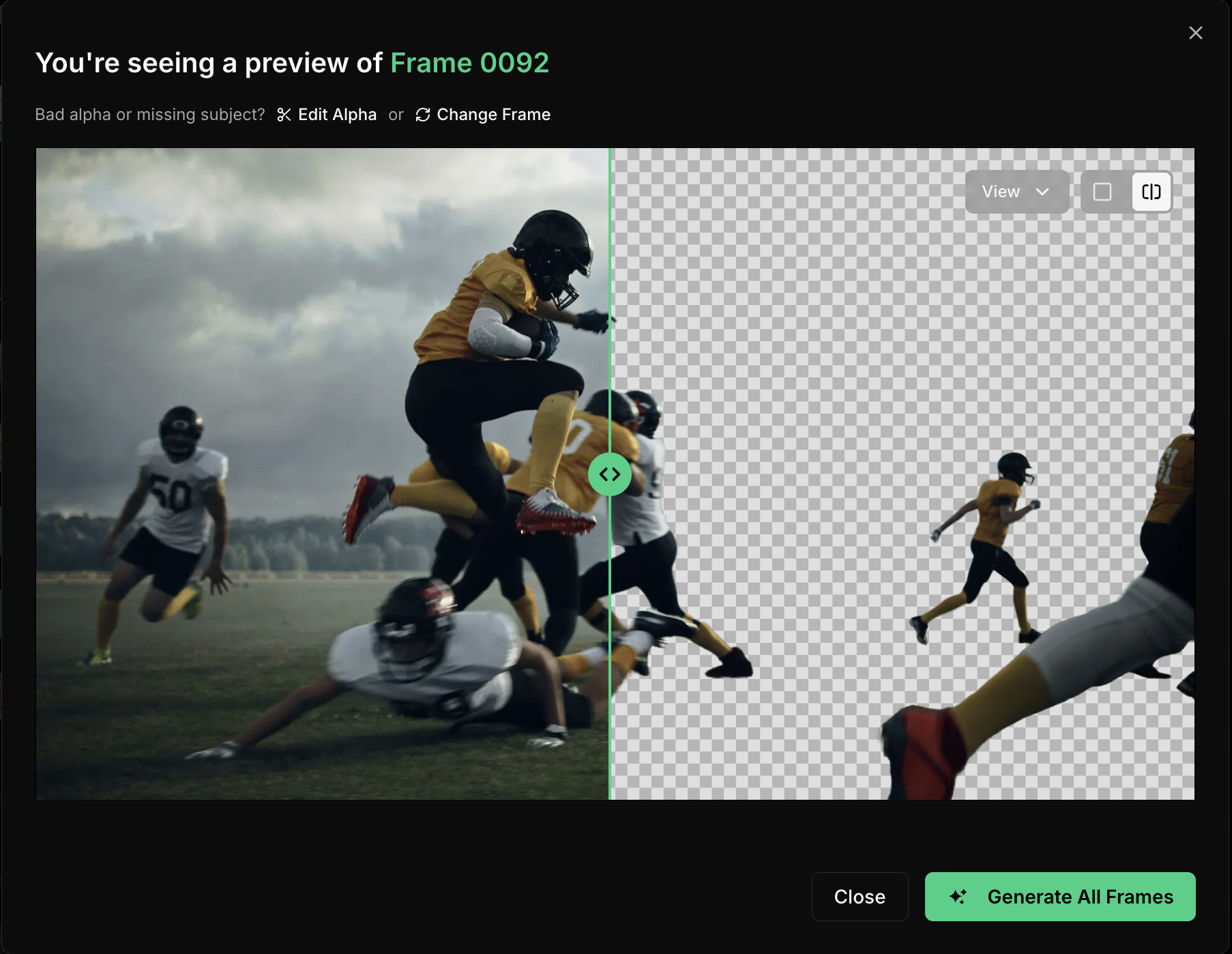
### Step 3: Preview Frame (Optional)

A preview frame is extracted from your video with a **rough alpha estimation** generated on it, so you can review the overall quality before committing to full extraction.

<img src="https://mintcdn.com/beebleai/phzCPwkfVDo4BCgk/images/background-remover-keyframe-preview.avif?fit=max&auto=format&n=phzCPwkfVDo4BCgk&q=85&s=028e2d3d3bdd9c7a3f6eb8b0691d521b" alt="Preview frame" width="1806" height="1398" data-path="images/background-remover-keyframe-preview.avif" />

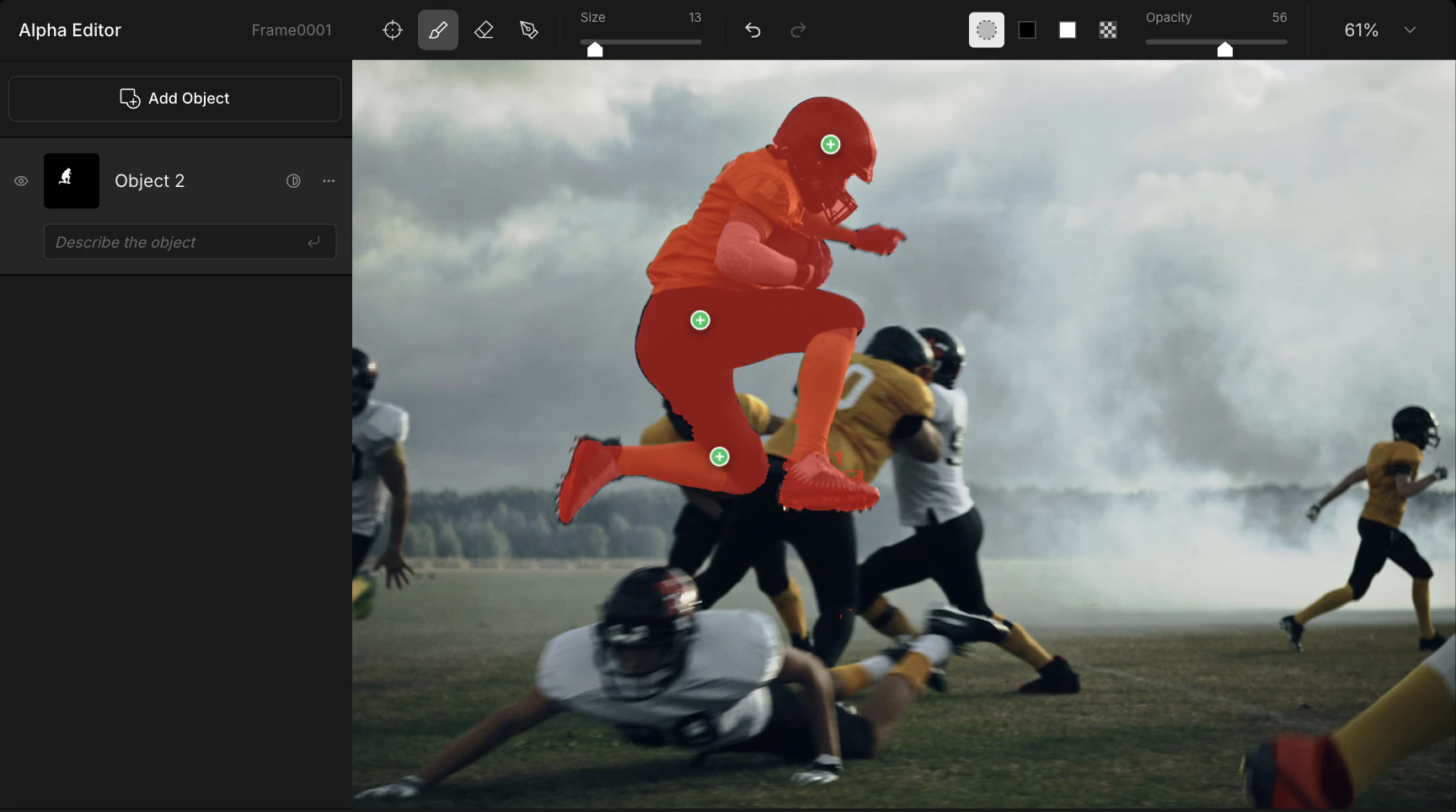
### Step 4: Refinement (Optional)

If the preview alpha needs adjustment, you can refine it interactively by clicking the **Edit Alpha** button in the Preview Dialog.

<img src="https://mintcdn.com/beebleai/phzCPwkfVDo4BCgk/images/background-remover-refinement.avif?fit=max&auto=format&n=phzCPwkfVDo4BCgk&q=85&s=ba0d1fc00b97a77c07df7b2676fbee62" alt="Alpha refinement" width="1728" height="964" data-path="images/background-remover-refinement.avif" />

<Info>
  Preview in this refinement section shows a rough estimation — it is not intended to be
  pixel-perfect. Fine details like hair edges and semi-transparent areas will be
  refined during the full extraction in the next step.
</Info>

<Tip>
  **Skip Review mode** — You can choose to **Skip Review** during upload, which bypasses the preview step (Steps 3–4) and runs full extraction immediately.

  * The AI automatically uses the **first frame** as the reference and runs the entire pipeline without manual review.
  * This mode works best for **simple shots** with clear subjects and consistent backgrounds, where manual refinement is unlikely to be needed.
</Tip>

### Step 5: Full Extraction

Once you approve the preview frame (or skip it), full extraction runs across all frames.

### Step 6: Download Results

When extraction completes, download your results. You can also **bulk download** multiple completed results at once.

***

## Specifications

<Note>
  These specifications are for **Beeble (Cloud)**. Specifications may be updated
  as the platform evolves.
</Note>

### Upload Format

<Tabs>
  <Tab title="Video">
    <div className="narrow-table">
      |                 | Beeble (Cloud app)                                                                                                       |
      | --------------- | ------------------------------------------------------------------------------------------------------------------------ |
      | **File Format** | MP4 (H.264), MOV (ProRes 422, 4444, H.265)                                                                               |
      | **Max Size**    | 2 GB                                                                                                                     |
      | **Resolution**  | <span style={{fontWeight: '700'}}>Up to 2K (2048 px)</span><br />*- Downscaled if larger*                                |
      | **Frame Count** | <span style={{fontWeight: '700'}}>Up to 3600 frames</span><br />*- e.g. 60s @ 60fps or 120s @ 30fps (Professional plan)* |
      | **FPS**         | <span style={{fontWeight: '700'}}>Up to 60 FPS</span><br />*- Reduced if higher*                                         |
      | **Color**       | Rec. 709 for best quality<br />*- Other color spaces, such as Log, may degrade quality*                                  |
    </div>
  </Tab>

  <Tab title="Image Sequence">
    <div className="narrow-table">
      |                 | Beeble (Cloud app)                                                                      |
      | --------------- | --------------------------------------------------------------------------------------- |
      | **File Format** | PNG, JPG, JPEG                                                                          |
      | **Max Size**    | 100 MB per file                                                                         |
      | **Resolution**  | <span style={{fontWeight: '700'}}>Up to 2K (2048 px)</span><br />*- Rejected if larger* |
      | **Max Frames**  | <span style={{fontWeight: '700'}}>Up to 2000 frames</span>                              |
      | **Color**       | sRGB for best quality<br />*- Other color spaces, such as Log, may degrade quality*     |
    </div>
  </Tab>

  <Tab title="Image">
    <div className="narrow-table">
      |                 | Beeble (Cloud app)                                                                      |
      | --------------- | --------------------------------------------------------------------------------------- |
      | **File Format** | PNG, JPG, JPEG                                                                          |
      | **Max Size**    | 100 MB                                                                                  |
      | **Resolution**  | <span style={{fontWeight: '700'}}>Up to 2K (2048 px)</span><br />*- Rejected if larger* |
      | **Color**       | sRGB for best quality<br />*- Other color spaces, such as Log, may degrade quality*     |
    </div>
  </Tab>
</Tabs>

<Tip>
  **Best Quality Settings** - Use Rec. 709 / sRGB color space. Beeble (Cloud
  app) supports up to 2K and 3600 frames per video (60s @ 60fps).
</Tip>

### Output Format

Background Remover produces two output types:

* **RGBA** — Background removed result with transparency applied.
* **Alpha** — Grayscale alpha matte (foreground mask).

<Tabs>
  <Tab title="RGBA">
    <div className="narrow-table">
      | Format           | Color Channels | Bit Depth | Color Space | Note                                 |
      | ---------------- | -------------- | --------- | ----------- | ------------------------------------ |
      | **MOV**          | RGBA (4-ch)    | 10-bit    | sRGB        | Alpha-embedded video for compositing |
      | **PNG Sequence** | RGBA (4-ch)    | 8-bit     | sRGB        | Frame-by-frame PNG with transparency |
      | **PNG**          | RGBA (4-ch)    | 8-bit     | sRGB        | Single image with transparency       |
    </div>

    <Tip>
      The MOV output contains an embedded alpha channel, so you can drop it directly
      into After Effects, DaVinci Resolve, Final Cut Pro, or any editor that supports
      alpha video. No separate alpha matte needed.
    </Tip>
  </Tab>

  <Tab title="Alpha">
    <div className="narrow-table">
      | Format           | Color Channels   | Bit Depth | Color Space | Note            |
      | ---------------- | ---------------- | --------- | ----------- | --------------- |
      | **MOV**          | Grayscale (1-ch) | 8-bit     | —           | Grayscale matte |
      | **PNG Sequence** | Grayscale (1-ch) | 8-bit     | —           | Grayscale matte |
      | **PNG**          | Grayscale (1-ch) | 8-bit     | —           | Grayscale matte |
    </div>
  </Tab>
</Tabs>

***

## Tips for Best Results

<Tip>
  For the best alpha extraction results:

  * Use footage with **clear contrast** between subject and background
  * Ensure the subject is **well-lit** and in sharp focus
  * Avoid footage with **excessive motion blur**
  * Use **high-resolution** source material when possible
  * For videos, review and refine the preview frame before running full extraction
</Tip>